
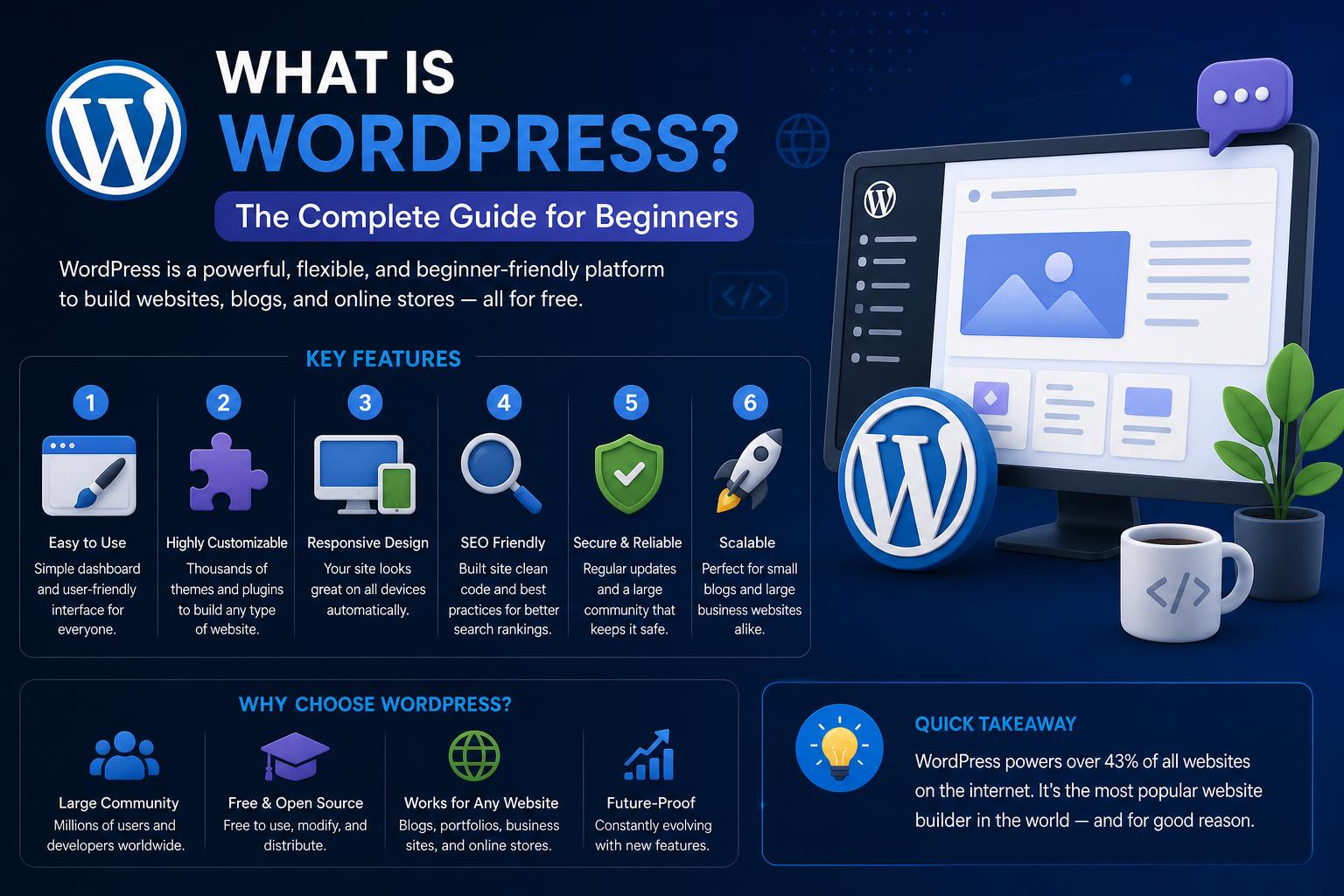
- WordPress is an open-source content management system (CMS) that has evolved far beyond blogging and now powers a vast share of the websites on the internet.
- The platform operates with core components like themes and plugins, providing unprecedented flexibility and extensibility for users of all skill levels, from complete beginners to advanced developers.
- Key distinctions exist between WordPress.org and WordPress.com, with the former offering total control, freedom, and ownership, whereas the latter delivers an all-in-one hosted experience—but with more restrictions.
- Modern workflow tools like Elementor have revolutionized how users create, design, and manage WordPress sites, eliminating most of the traditional limitations and steep learning curves.
If you’ve ever explored the internet with the intent to build or manage a website, it’s almost a guarantee that WordPress has crossed your digital journey. But what is WordPress, really, beneath the surface of buzzwords and recommendations? Whether you’re a small business owner, aspiring blogger, artist, or just a digital enthusiast, understanding what makes WordPress tick – and why it dominates the web – is a superpower in the modern internet era.
Throughout this guide, we’ll unravel every thread of WordPress: what it is, how it came to power over 40% of the internet, exactly how it works under the hood, and how anyone – whether total newbie or seasoned developer – can harness its capabilities. We’ll address both its evolution, technical anatomy, practical uses, and modern workflow shifts, without skipping any crucial detail.
WordPress: The Evolving Heart of the Web
WordPress is, at its core, a free and open-source content management system (CMS) that empowers anyone to curate, build, and expand their digital presence without having to write complex code from scratch. Originally, WordPress launched in 2003 as a modest blogging platform, carved out of the need for more graceful and user-friendly web publishing. This initiative was helmed by Mike Little and Matt Mullenweg, who forked the older b2/cafelog project. Over two decades, WordPress advanced from a simple tool to the digital backbone of millions of sites, from personal journals to sprawling e-commerce empires.
What truly distinguishes WordPress is how it breaks down barriers between non-technical users and web development: its dashboard and ecosystem are approachable out of the box, yet its open framework invites limitless customization from designers, developers, and creators. Whether you want a no-fuss homepage or a complex application, WordPress adapts to your ambitions.
Open-Source DNA: Why WordPress Is Different
WordPress is open-source – licensed under the GNU General Public License (GPLv2 or later), which means its underlying code is available for anybody to use, modify, and distribute freely. This openness is responsible for a few transformative advantages:
- Zero cost for the WordPress software itself – anyone can download, install, and use WordPress without hidden fees.
- Enormous global community – developers worldwide contribute to its improvement, security, and expansion, while users benefit from tutorials, support, and third-party extensions.
- Unparalleled flexibility – you can tweak and reshape your WordPress site as you wish, whether that means using a preset theme or engineering your own features and aesthetics.
How Popular Is WordPress, Really?
If you’ve ever wondered how widespread WordPress really is, the numbers tell the story: As of 2024, more than 43% of all websites run on WordPress. That includes 22.5% of the top one million global websites, confirming its role not just in personal blogging, but in high-traffic, professional-grade sites as well. Its reputation is further validated by industry awards and the enormous array of businesses, magazines, e-commerce stores, news sites, agencies, and even Fortune 500 companies relying on the platform for day-to-day operation.
What Can You Build with WordPress?
The beauty of WordPress is in its astonishing versatility. Originally tailored for blogs, it now functions as a full-fledged website engine capable of powering:
- Personal blogs and lifestyle journals: The roots of WordPress still support creators who want to publish their voice, build audiences, and share personal stories.
- Business websites: WordPress offers customizable templates and features which make professional web presence accessible for businesses of every size, from freelancers to multinational firms.
- Online stores: Add-ons like WooCommerce transform any WordPress site into a feature-rich eCommerce store, with payment, inventory, shipping, and order management.
- Portfolios and galleries: Creatives can showcase their work beautifully, leveraging portfolio themes and plugins for photographers, designers, writers, and artists.
- Membership and subscription sites: WordPress can restrict content, handle recurring payments, and support online communities.
- Learning management systems (LMS): With LMS plugins, you can deliver online courses, track student progress, and conduct e-learning operations.
- Forums, communities, and social networks: Plugins like BuddyPress or bbPress let you create interactive platforms for users to engage, discuss, and share.
- Almost anything else: From event listings to restaurant menus, non-profit campaigns to podcasts, WordPress’s modular structure means you can turn your site into virtually any kind of web experience.
Key Features and Components of WordPress
What makes WordPress so robust – and so accessible – are its thoughtfully designed core components. Each part plays a vital role in delivering a flexible, secure, and extensible web platform:
- User-Friendly Dashboard: The “backend” area is your personal control center. With logical menus (Posts, Pages, Media, Appearance, Plugins, Users, and Settings), even newcomers can quickly grasp basic operations.
- Themes: Change the entire look and layout of your website in a few clicks. Thousands of free and premium themes exist, allowing personalized design from professional agency to quirky individual.
- Plugins: These function much like apps do on your smartphone, offering extended features — SEO optimization, security, advanced forms, social media, analytics, galleries, online shopping, forums, and countless others. The official repository alone hosts over 59,000 plugins.
- Media Library: Manage and reuse images, videos, audio, and other files in one organized hub within WordPress.
- Menus and Widgets: Create custom navigation, sidebar elements, and footers to structure your site as you like, with drag-and-drop convenience.
- User Roles and Permissions: Set who can access what, with fine-grained roles for administrators, editors, authors, contributors, or subscribers.
- SEO Optimization: Clean, semantic markup and powerful plugin support give your website an upper hand in search engine rankings.
- Security Features: Regular updates, security plugins, and community oversight all contribute to keeping sites resilient against threats.
WordPress.org vs. WordPress.com: Understanding the Split
One of the core points of confusion when you dive into the WordPress world is the difference between WordPress.org and WordPress.com. While they share the same codebase, their usage models are fundamentally distinct:
WordPress.org (“Self-Hosted” WordPress)
WordPress.org is the true open-source version, and what most people refer to when they talk about owning a ‘WordPress site’. It’s downloadable software that you install on a web host of your choice. Here are the defining traits:
- Total control and flexibility: You decide what themes, plugins, and code alter your site. Run any plugin, theme, or even your own custom PHP and CSS.
- You own your data and content: Backups, structure, and exporting are all under your domain; no corporate overlords.
- Monetization freedom: Add ads, eCommerce, memberships—there’s no limitation.
- DIY responsibility: You manage site security, backups, performance, and updates (though modern hosts and plugins make this a breeze).
- Costs: While the software is free, you pay for your own domain and web hosting. This investment often starts small and grows with your site’s needs.
WordPress.com (“Hosted” WordPress)
WordPress.com is a managed service offered by Automattic, one of the companies founded by Matt Mullenweg. Here, you can launch a website in minutes, but with constraints:
- All-in-one hosting and support: No technical setup is required; hosting, backups, updates, and fundamental security are included in every plan.
- Less freedom, especially on the free tier: Feature-set and customization options are restricted unless you upgrade to paid plans. Free plans, for example, force WordPress.com subdomains and display WordPress branding and ads.
- Limited monetization: Advertising, eCommerce, and plugin usage are gated behind specific plans.
- Simpler for beginners, but outgrown quickly: If you want to truly own and scale your website, self-hosted (WordPress.org) is the ultimate option.
Choosing Between the Two
For professionals, businesses, and anyone serious about growth or customization: go with WordPress.org. WordPress.com is great for hobbyists or temporary personal sites. In the bigger picture, owning your platform is the way to unlock the full power of WordPress.
Technical Anatomy: How WordPress Works Under the Hood
Understanding the underlying architecture will make you a smarter and more empowered WordPress user—whether you’re a site owner, content creator, or developer. WordPress is primarily built with the PHP programming language, which powers all business logic and site functionality. The platform relies on a MySQL (or MariaDB) database to store everything from posts and pages to user accounts and configuration settings.
The Request-Response Flow
- Visitor enters your site URL in their browser.
- Your web server receives the request and triggers core WordPress files (like index.php, wp-config.php, and others).
- PHP code executes, querying the database for the relevant posts, pages, themes, plugin options, and other data.
- PHP then combines this data with your theme’s template files to generate final HTML markup.
- The complete HTML is sent back to the browser, where visitors see the final page – images, text, navigation, and all.
This architecture separates WordPress content (stored in the database) from design (delivered by the theme), making it incredibly easy to redesign a whole website by switching themes or to add powerful features by activating plugins.
Themes: Shaping the Look and Feel
Themes dictate how your WordPress site looks. They control layout, color palette, typography, and the overall user experience — everything from basic one-pagers to complex multimedia sites. Users can swap themes with just a few clicks, test designs, or install new ones from the WordPress repository or any third-party developer. Many themes offer visual customization and builder tools, while others are tuned for specific industries (e.g., restaurants, startups, news sites).
Plugins: Expanding Functionality
Plugins are the backbone of WordPress’s flexibility, letting you extend your site for almost any purpose. Some of the most popular plugin types include:
- SEO tools (like Yoast SEO or Rank Math) for improving search visibility.
- Performance enhancers (like caching or image optimization plugins).
- Security modules that add firewalls, brute-force protection, and malware scanning.
- Contact forms and eCommerce solutions (WooCommerce, Gravity Forms, Contact Form 7, etc.)
- Social media integration, analytics, and marketing automation.
- Learning management systems, membership management, and forums.
- Visual page builders for drag-and-drop site construction (e.g., Elementor and Beaver Builder).
Posts vs. Pages: Structuring Your Content
WordPress distinguishes between “Posts” and “Pages” — a pivotal concept for structuring your project:
- Posts: These are time-sensitive, usually organized by categories and tags, and commonly displayed in reverse chronological feed (think blogs, news updates, event listings).
- Pages: These are evergreen, static content – great for About Us, Contact, Policies, or landing pages. They don’t appear in blog feeds.
A Closer Look: The WordPress Dashboard
Every WordPress installation comes with an intuitive backend dashboard accessible at yoursite.com/wp-admin. This dashboard is your command center, providing quick navigation and management tools for your website’s everyday needs:
- Dashboard: Quick status updates, news, and plugin notifications as soon as you log in.
- Posts: Write, edit, organize, and publish your dynamic blog entries.
- Media: Your personal media library, collecting all uploaded images, docs, audio, and other files.
- Pages: Structure your top-level static content for a professional look.
- Appearance: Manage your site’s theme, widgets (sidebar elements), and customizable menus.
- Plugins: Install, activate, and configure new site features.
- Users: Control who can log in, publish, or administer your site.
- Settings: Fine-tune technical and practical details like site name, URL structure (permalinks), time zone, and more.
Installation Methods: How to Set Up WordPress
WordPress can be installed in two main ways, depending on whether you prefer a managed experience (WordPress.com) or full control (WordPress.org):
- WordPress.com (Hosted Option): Sign up, pick a name and theme, and start publishing. It’s quick, easy, but with less freedom and limited monetization/customization.
- Self-Hosted WordPress.org: First, acquire a domain name and a hosting plan. Then, install the WordPress files (most hosts offer one-click install), configure your database, and set up your theme and plugins as needed. This approach is vastly more customizable, ideal for those who want room to grow.
Common Use Cases: Sites You Can Create with WordPress
WordPress is renowned for its adaptability. Here’s a quick sample of its vast capability:
- Blogs and Magazines: Share your voice, interests, stories, and updates with fully managed categories and tagging.
- Small Business Sites: Promote services, share testimonials, showcase portfolios, and engage with clients via forms and newsletters.
- Online Stores: Run everything from boutique eCommerce shops to global marketplaces with the help of WooCommerce.
- Online Courses and eLearning: With the right LMS plugin, manage courses, track user progress, and offer certifications.
- Membership Platforms: Gate content, run subscriptions, and create communities.
- Portfolios and Galleries: Creatives, designers, and freelancers can beautifully showcase their work.
- Community Forums: Encourage conversation and engagement for specialized groups.
- Event Management: Schedule, promote, and sell tickets for events large or small.
Key Advantages of Using WordPress
Why is WordPress such a magnet for content creators, entrepreneurs, and developers alike? It boils down to a few pivotal benefits:
- Open-source access: No corporate gatekeepers, just open roads for innovation.
- Cost-effective: Build simple blogs or powerhouse digital platforms at a sliver of the cost of custom development.
- Flexibility and scalability: Launch as small or large as you need; scale easily as your ambitions grow.
- User- and developer-friendly: Easy enough for the layperson, robust enough for seasoned programmers to extend via APIs and custom code.
- Rich plugin and theme ecosystem: Find the right tool for almost any challenge, from forms to SEO to marketing automation.
- Big, helpful community: Documentation, forums, blogs, and tutorials abound at WordPress.org and countless third-party resources.
Potential Challenges and Limitations
No platform is perfect, and WordPress does come with its own set of pain points – particularly for beginners or in complex setups:
- Learning curve: While setup is straightforward, customizing beyond default themes or learning plugin best practices can feel overwhelming early on.
- Plugin bloat: Over-relying on too many third-party plugins can slow your site, cause conflicts, or open you to security risks.
- DIY responsibilities: Security, backups, and performance tweaks are often your job (though manageable with good hosting and plugins).
- Theme lock-in: Heavy reliance on a proprietary theme or builder might limit your ability to make structural changes down the line.
- Fragmented support: With plugins, themes, and hosting from separate providers, it can be tricky to diagnose and fix issues if something breaks.
Modern Solutions: Streamlining WordPress with Visual Builders
To address its historical limitations, the WordPress community has spawned a new class of tools called “Website Builder Platforms.” Standouts like Elementor have changed the game, turning WordPress from a patchwork of themes and plugins into a unified, drag-and-drop experience.
What Does a Website Builder Like Elementor Do?
Website builders for WordPress offer live, visual site construction, letting you assemble pages, headers, footers, and post templates with no code required. For example, Elementor replaces the classic WordPress editing process with a “what you see is what you get” interface, so design choices happen in real time.
- Visual workflow: Build and tweak designs, layouts, and elements live, eliminating the guesswork of code or template limitations.
- Complete theme control: Override the defaults set by themes – create custom headers, footers, archive templates, and more.
- Integrated ecosystem: Hosting, performance optimization, email deliverability, and image optimization are all managed under one umbrella (for example, Elementor Hosting streamlines hosting with their builder tools).
- Unified support: Instead of chasing multiple providers, you benefit from consolidated customer service and updates.
- AI and automation: Advanced platforms now integrate artificial intelligence tools for content, design, and site mapping within the builder interface itself.
Advantages of the Modern Workflow
This integrated approach solves many old headaches: no more “theme lock-in,” reduced plugin bloat, fewer technical mishaps, and a much softer learning curve. Building a professional website is now far more accessible, even for non-coders. Plus, maintenance is easier – most updates, backups, and security monitoring are automated by the platform provider.
Security: Protecting Your WordPress Site
Given WordPress’s massive global footprint, it’s not surprising it attracts the interest of hackers and bad actors. That said, the platform has robust defenses built-in, and its security story is constantly improving thanks to:
- Regular software updates: Both the WordPress core and major plugins/themes release frequent updates to patch vulnerabilities and strengthen side defenses.
- Community vigilance: Major vulnerabilities are usually discovered and resolved quickly thanks to thousands of eyes on the codebase.
- Security plugins: Options like Wordfence, Sucuri, and Jetpack Protect give you easy-to-use tools for firewalls, malware scanning, brute-force defense, and more.
- Auto-updates: Automatic security updates since version 3.7 mean that even forgetful admins are still protected from high-risk exploits.
- Recommended best practices: Always keep themes and plugins updated, use strong passwords, avoid untrusted third-party code, and partner with secure, reputable hosting providers. Edit .htaccess files for additional server-level security as needed.
- PHP version support: WordPress recommends using PHP version 7.4+ for optimal security and performance.
Many security breaches happen not because WordPress is inherently weak, but because users neglect crucial updates or install unsupported plugins and themes. Good hygiene and responsible plugin management are your best allies here.
Performance and Maintenance: Keeping WordPress Fast and Reliable
Speed and reliability are essential for both visitors and search engines. Here’s how to keep your WordPress site in top shape:
- Choose well-optimized hosting: Premium hosts that specialize in WordPress (e.g., Kinsta, WP Engine, SiteGround, or Elementor Hosting) deliver blazingly fast page loads and proactive support.
- Use caching and optimization plugins: Plugins like WP Rocket, W3 Total Cache, or built-in platform tools greatly accelerate site loading by caching pages and compressing files.
- Optimize images: Tools for compression and next-gen formats (like WebP) prevent images from slowing you down. Elementor’s Cloud plans even include automatic image optimization.
- Limit needless plugins: Stick to high-quality, well-maintained plugins to avoid site bloat.
- Monitor and back up regularly: Automated, daily backups are often built into quality hosts or available as plugins (like UpdraftPlus or Jetpack). Always have a backup plan—literally.
WordPress Community and Ecosystem
One of WordPress’s greatest strengths is its vast, inclusive, and always-active global community of users, contributors, and businesses.
- Support: Forums at WordPress.org are packed with helpful guides, troubleshooting advice, and volunteers eager to help new users.
- Documentation: The WordPress Codex and developer documentation cover everything from basic management to advanced API extensions.
- Events: Global WordCamp conferences and local Meetups offer training, networking, and community-driven support across dozens of countries.
- Collaboration: Developers, designers, bloggers, and professionals all contribute plugins, themes, translations, and code improvements back to the core project.
The Foundation and Governance of WordPress
To guard the open nature and future of the platform, Matt Mullenweg established the nonprofit WordPress Foundation in 2010. This organization owns the WordPress and related trademarks, ensuring that the platform and its mission will remain community-driven and accessible, free from corporate lock-in or hostile takeovers.
Awards, Recognition, and Ongoing Evolution
WordPress’s innovation has earned numerous awards:
- Best Open Source Software awards (InfoWorld)
- Overall Best Open Source CMS (Open Source CMS Awards)
- Hall of Fame and Bossie awards for continued impact
WordPress also celebrates its heritage with every major release: versions are named after legendary jazz musicians, and changelogs reflect relentless refinement. From the launch of the Gutenberg block editor in version 5.0 to continued AI and design evolutions, WordPress remains at the frontier of digital publishing technology.
Hosting: Selecting the Right Environment
WordPress hosting is a crucial factor in your site’s speed, security, and manageability.
- Shared hosting: General-purpose, budget-friendly, but may suffer from resource limitations when scaling.
- Managed WordPress hosting: Providers like Kinsta, WP Engine, Flywheel, or Elementor Hosting optimize their environments specifically for WordPress—automating updates, backups, security, and providing tech support tailored to the CMS.
- VPS and cloud-based: For developers or larger businesses, custom server setups afford even more flexibility and power.
Accessibility and Internationalization
WordPress is dedicated to making the web accessible to all, regardless of ability or language. The official Accessibility Coding Standards mandate compliance with WCAG 2.0 Level AA wherever possible, ensuring new code releases are inclusive.
The platform is also renowned for its multilingual capabilities: WordPress core, plus thousands of themes and plugins, have been translated into dozens of languages. The community continually invests in translation tools, accessibility enhancements, and built-in features like image alt text and semantic markup.
Mobile Support: Managing Your Site Anywhere
Today’s WordPress isn’t confined to desktop computers. Official mobile apps exist for both Android and iOS: These apps let you post new content, manage comments, monitor statistics, and more – all on the go.
The Cutting Edge: Headless WordPress and Advanced Applications
For developers seeking even more flexibility, WordPress can run in ‘headless’ mode, powering everything from mobile apps to JavaScript-driven front ends. Using the WordPress REST API, headless installations serve content to frameworks like React, Vue, or Angular, opening up limitless options for modern web development practices.
Notable Plugins and Projects in the WordPress Ecosystem
- WooCommerce: The de facto eCommerce solution, turning any WordPress site into a powerful shop.
- Elementor: One of the most popular visual page builders, now an all-in-one platform for full site editing.
- Advanced Custom Fields: Tweak the backend as much as the frontend, building custom data structures for more sophisticated sites.
- Jetpack: A suite from Automattic offering performance, marketing, and security enhancements.
- Akismet: World-class spam filtering, built by Automattic.
- BuddyPress and bbPress: Add community forums and social features easily.
WordPress Release History and Versioning
Major WordPress releases, each named for an iconic jazz musician, continually introduce new features, improve security, and refine the editing experience. Notable past versions include:
- 1.2 Mingus (2004): Launch of plugin architecture.
- 2.0 Duke (2005): Rich editing and overhaul of the admin UI.
- 3.0 Thelonious (2010): Merged multisite and core, introducing custom menus.
- 5.0 Bebo (2018): The Gutenberg block editor revolutionizes content editing.
- 6.x and beyond: Enrich theme customization, site builder integration, and accessibility upgrades.
Key Tips for WordPress Success
- Always keep WordPress, themes, and plugins up to date: More than 98% of exploited WordPress sites are running outdated software.
- Use strong credentials and two-factor authentication: Secure passwords and modern authentication prevent most attacks.
- Pick reputable, well-maintained plugins and themes: Check star ratings, recent updates, and community reputation before installing third-party software.
- Back up before major updates: Even trusted plugins or upgrades can occasionally fail—stay safe with recent backups.
- Plan your site before going live: Define your goals, pages, content structure, and branding before you start dragging widgets. Tools like the AI Site Planner in Elementor can be particularly helpful.
Leveling Up: From Beginner to Expert in WordPress
With a strong foundation in WordPress basics, you can expand your skills in many directions:
- Learn PHP, HTML, and CSS: The more comfortable you are with code, the more you can customize and build advanced solutions – but it’s never required just to get started.
- Dig into plugin and theme development: WordPress’s hook system (actions and filters) gives developers nearly unlimited power to extend any site.
- Explore the REST API: Build headless apps, connect with mobile devices, or integrate with other web services.
- Embrace modern visual builders: Tools like Elementor let you create sophisticated, custom sites without writing a single line of code – perfect for freelancers, agencies, and entrepreneurs alike.
- Become part of the community: Attend a WordCamp, contribute translations, or answer questions on the forums.
WordPress isn’t just a CMS. It’s a living, breathing ecosystem that empowers creators, supports small businesses, scales giant enterprises, and constantly reinvents the web landscape. The real magic is not only in its technology, but in the freedom it brings to anyone with a vision for what the web can be.