
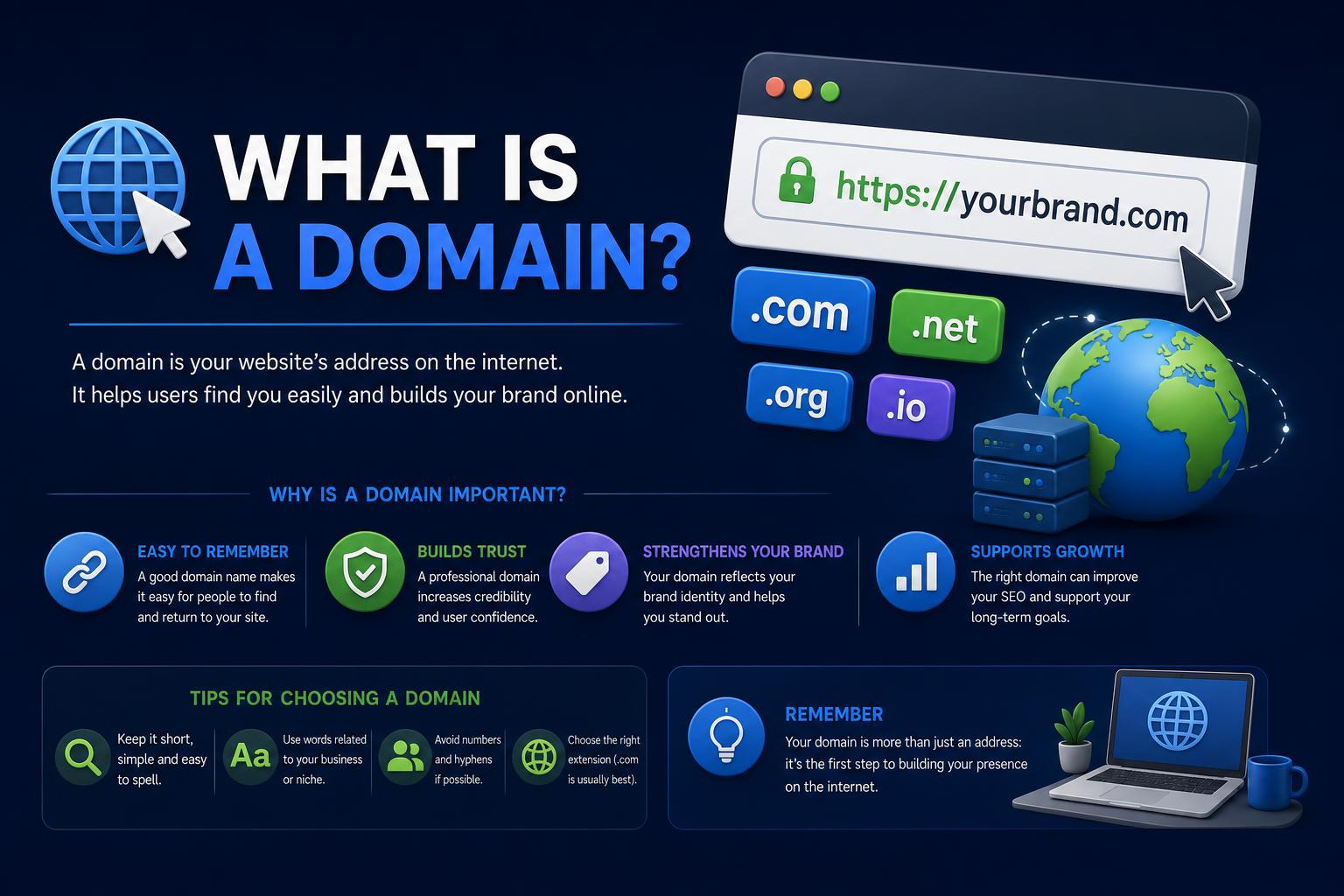
- Domain names are essential for navigating and branding the web, translating user-friendly addresses into numerical IPs via DNS.
- The ecosystem encompasses TLDs, SLDs, subdomains, registrars, registries, and WHOIS—all vital for ownership and management.
- Domains enhance trust, enable email, impact SEO, and require careful security, renewal, and strategy planning.
The digital landscape is built upon countless intricate mechanisms, but few are as central and misunderstood as domain names. Every website you visit, every email you send, and nearly everything you do online relies in some way on domains. But what exactly is a domain, why do they matter so much, and how do they function behind the scenes to make the web navigable for humans and machines alike?
Let’s peel back the curtain on this essential topic. From its humble origins to its modern-day complexities, the story of domains is a fascinating blend of technical wizardry, creative branding, and global cooperation. Whether you’re building your first website, managing a growing online brand, or just curious about how typing an address into your browser brings up a fully formed website, you’re in the right place. Dive in for a deep, conversational, and utterly comprehensive exploration of domain names—without a single jargon-laden snoozefest along the way.
What is a Domain Name? The Internet’s Navigation Shortcut
Imagine trying to visit your favorite website by dialing its actual ‘address’—a string of numbers like 172.217.2.46. Not very memorable, right? That’s why domain names exist. They are the digital equivalent of a street address, except tailored for humans: simple, easy to recall, and often brand-aligned. Instead of memorizing a company’s IP address, you just type in their domain name and voilà—you’re there.
Technically speaking, a domain name is a human-friendly label for a specific location (IP address) on the internet. Every internet-connected server has at least one public IP address (e.g., 192.0.2.168 for IPv4 or 2001:0db8::1 for IPv6), but nobody expects you to know those. The Domain Name System (DNS) bridges this gap, translating our convenient domain names into IP addresses computers can use.
In short: domains are the entry points to the web. They help visitors find, remember, and trust your presence online, whether you’re a budding blogger, a global corporation, or anything in between.
How Domain Names Work: The Technology Under the Hood
So, what happens after you type a domain like wikipedia.org into your browser and hit enter? Here’s a high-level walkthrough of the magic:
- You enter the domain name in your browser.
- Your device checks its local cache to see if it already remembers the matching IP for this domain.
- If not cached, your device asks a DNS server (usually run by your ISP or Google Public DNS) for the correct IP address for the domain.
- The DNS server returns the right IP, your browser connects to it, and the server delivers your requested web page.
This DNS lookup process works incredibly fast (often in well under a second) and is fundamental for email, web browsing, app connections, and much more. DNS servers globally are organized in a tree structure, starting at the ‘root’ and moving down through top-level domains (like .com, .org, .net), secondary domains, and any additional subdomains. This distributed, hierarchical system makes the web robust, flexible, and instantly scalable.
If you want the real nuts and bolts, the DNS lookup can traverse several name servers—root servers, TLD servers, and the authoritative name servers for the specific domain—before resolving to the right IP.
Domain Name Anatomy: Breaking Down the Parts
A domain name is more than just a catchy word. It has structure and meaning, and every part plays a role. Let’s dissect an example:
Take blog.example.com
- .com: This is the top-level domain (TLD), indicating the broad category or country code.
- example: This is the second-level domain (SLD), typically the actual brand or site name, registered by you.
- blog: This is a third-level domain or subdomain, often used to organize sections or features (e.g., blog, shop, support).
Domains can have more levels (e.g., shop.uk.brand.com), but for most users, SLD + TLD is the classic structure. Domains read from right to left: the further right, the broader the category; the further left, the more specific and granular.
Types of Domain Names: TLDs, SLDs, and Beyond
Top-Level Domains (TLDs): The Big Endings
A TLD is the highest level of domains in the name hierarchy; it’s the suffix at the end (like .com, .org, or .net). TLDs provide context—sometimes about the website’s purpose, location, or owner. They’re managed by specific organizations called registries, with oversight by the Internet Corporation for Assigned Names and Numbers (ICANN).
Types of TLDs include:
- Generic TLDs (gTLDs): .com (commercial), .org (organization), .net (network), .info (information), and a slew of new options such as .tech, .photo, .shop. Modern gTLDs can be nearly any word or theme you like, from .ninja to .yoga.
- Country-Code TLDs (ccTLDs): Two-letter endings like .uk (United Kingdom), .fr (France), .ca (Canada), .de (Germany). Originally intended for geographic specificity, many ccTLDs are used creatively—think .io for tech startups (officially the British Indian Ocean Territory), .ai for artificial intelligence (Anguilla), or .tv for video content (Tuvalu).
- Sponsored TLDs (sTLDs): Like .gov for U.S. government, .edu for accredited educational institutions, .mil for U.S. military, and .museum for museums. Applying for one usually requires meeting eligibility criteria.
- Brand or dotBrand TLDs: Some global companies own their own TLDs, such as .google or .bmw, offering enhanced control and security for their branded digital assets.
Second-Level Domains (SLDs): Your Real ‘Name’
The part directly before the TLD is called the second-level domain. For example, in wikipedia.org, ‘wikipedia’ is the SLD. This is usually what people think of as the custom part of a domain—it’s your brand, business, or creative identifier.
Some countries (like the UK or Spain) use structured SLDs within their ccTLDs for categorization. For instance, .co.uk (commercial), .ac.uk (academic), or .gov.uk (government). So bbc.co.uk is the SLD ‘bbc’ under the ‘.co.uk’ SLD + ccTLD combo.
Third-Level Domains and Subdomains: Getting Granular
A third-level domain or subdomain comes to the left of the SLD. Common subdomains are ‘www’, ‘blog’, ‘shop’, or even more niche setups. For instance, support.example.com is a support section; store.example.com is a shop. Subdomains don’t require separate registrations; once you control an SLD, you can create as many subdomains as your DNS setup allows.
Fun fact: ‘www’ is technically a subdomain! That’s why you can often reach a site both at www.example.com and example.com—though the way you configure which version is ‘canonical’ is a matter of branding and technical setup. This distinction between apex domains (naked domain, like example.com) and subdomains (like www.example.com) can impact DNS management and analytics.
Domain Name Registration: How Do You Get One?
While we like to talk about ‘buying’ a domain name, what you actually do is register it—you reserve the right to use it for a set period (typically one year at a time, with renewal options). Here’s how it works:
- Pick a name: Use a registrar’s search tool to check if your desired name/extension is available.
- Register via a domain registrar: Companies like Namecheap, GoDaddy, or Google Domains act as intermediaries between you and the TLD registry
- Provide your details: You need to give contact info, and (unless you buy privacy protection) it’s visible in the global public WHOIS database
- Pay the fee: Prices range from $10–15/year for common .com domains, though premium names or ultra-niche extensions can be far pricier. Some domains (like .ai, .io, .tech) or ‘premium’ secondhand domains can cost much more, reaching into the hundreds, thousands, or millions.
You don’t own the domain forever—you lease it as long as you keep paying and following the registrar’s rules. If your registration lapses and you don’t renew, most extensions offer a ‘grace period,’ then a ‘redemption period’, and finally release your name for anyone to grab.
Registering multiple domains, or different variations (singular/plural, alternative TLDs) can safeguard your brand, fend off typosquatters, and give you room to grow.
Domain Management: Registrars, Registries, and WHOIS
The domain ecosystem involves several players:
- Registrant: That’s you—the individual or business reserving/using the domain.
- Registrar: The company you use to search, register, and manage domains. Examples: Namecheap, GoDaddy, Wix, Google Domains.
- Registry: The official manager of each TLD’s database. For .com, this is VeriSign. For .org, it’s the Public Interest Registry.
- WHOIS: The global, public ‘phone book’ for domain registrations. Unless you buy privacy/ protection (offered by most registrars), your name, address, phone and email—basically what you give to register—can be searched by anyone. Privacy products will display proxy info instead.
A Closer Look at DNS – The Backbone of Domain Functionality
DNS stands for Domain Name System. Without it, the web would grind to a halt—users would be forced to use numerical IP addresses, and the concept of friendly brands would die a cold, technical death.
When you register a domain, your registrar sets up initial DNS records (at minimum, pointing your domain to their parking page). For any website to function, you must configure DNS records—essentially instructions for how internet traffic should be routed for your domain. Key DNS Record types include:
- A/AAAA records: Direct a specific hostname (like your apex domain or www subdomain) to an IP address (IPv4 or IPv6, respectively)
- CNAME records: Alias one domain to another, useful for pointing subdomains to services like a hosted shop or blog platform
- MX records: Specify which server(s) handle your domain’s email
- TXT, SPF, DKIM, DMARC records: Used to improve email deliverability and verify domain ownership for various tools
- NS records: Indicate which name servers are authoritative for your domain
DNS changes can take a while to propagate (sometimes up to 48 hours), because caches exist throughout the global DNS system. This means changes aren’t always instantly visible to every user worldwide, so a bit of patience is needed when you’re updating or launching a new site.
Domains and Websites: What’s the Difference?
Here’s a common rookie mistake: thinking registering a domain is all you need for a live site. A domain gives you the address, but a website is the house, and web hosting is the ‘land’ that house sits on.
You can own a domain and not put any website on it. It just sits there either showing a parking page or nothing at all. Conversely, you can also build a website, but without a custom domain, it will be attached to someone else’s brand (like username.wixsite.com/project). For true professionalism and control, you want to marry your own domain and your own website hosting.
Hosting and domains are different but interconnected services. Some providers (like Wix or Squarespace) offer both together in one package, while others let you mix and match independently.
In practice:
- Domain: The address users type to find your stuff
- Hosting: The server where your website files, databases, images, and code ‘live’
- Website: The visible content visitors experience
Your DNS has to point your domain’s traffic to your hosting server’s IP address for your site to show up at that domain. Changing hosts, site builders, or email services can all require DNS updates.
Email Domains: Adding Professionalism and Trust
Your domain can do double-duty as your email identity. The part after the ‘@’ in your email address—like ‘hello@yourbrand.com’—is determined by your domain. This adds instant credibility, putting you on the same level as bigger players, and organizes your business communications. People generally trust emails from branded domains over free generic services.
Setting this up isn’t automatic: you’ll need to update your domain’s MX records to point to your mail provider (Google Workspace, Microsoft 365, or something like Zoho Mail). Most modern registrars make this a breeze in the dashboard, and many provide guided setups if you use their ecosystem—see Google Workspace or Wix Email Solutions.
Common Domain Terms and Definitions
- Apex/Naked Domain: The root version of your domain without any subdomain prefix (just ‘yourcompany.com’ instead of ‘www.yourcompany.com’). Both are used interchangeably, but technically www is a subdomain.
- Subdomain: Any ‘section’ before your SLD, such as blog.example.com. Useful for organizing disparate sections of your web presence.
- Domain Alias: A separate domain set to display exactly the same web/email content as your main domain – great for alternate branding or typo variations.
- Name Server: Specialized DNS servers that maintain maps between your domain name and its corresponding IP addresses/other resource locations.
- WHOIS Directory: The public database that lists who owns what domain. Privacy protection can shield your personal info from public view.
- Domain Registrar: The business that sells you the right to use the domain and helps you manage settings.
- Domain Host: The company that operates your DNS infrastructure. Many registrars are also hosts, but you can split them up if you wish.
How to Choose a Domain Name: Strategy and Mistakes to Avoid
Picking a domain name is a bit like choosing a tattoo: it’ll follow you and your brand for quite some time. Here’s how to set yourself up for smooth sailing:
- Make it simple, memorable, and easy to spell. Avoid odd spellings, complicated phonetic combos, hyphens, or random numbers (unless they’re truly core to your brand).
- Stick to your actual brand name if possible, or a logical variation. Cohesion across your company name, domain, and social handles builds trust and helps people find you more easily.
- Pick the right extension. For most organizations, .com still reigns supreme (it’s trusted and widely recognized). But unique gTLDs, local ccTLDs, or even something playful can work if it fits your brand’s vibe and strategy.
- Register variations and common misspellings. Doing so prevents squatters or competitors from scooping them up, and lets you set up redirects to your primary domain.
- Avoid legal headaches. Check for existing trademarks or obvious conflicts, especially if you’re choosing a descriptive or coined word that could overlap with major brands.
- Keyword stuffing is out. While having keywords in your domain was once an SEO goldmine, these days memorable, brand-centric domains trump SEO-driven strings almost every time. Think ‘brandability’ first, keywords second.
Before clicking ‘register,’ say the name out loud, write it down, and share it with friends. If it’s awkward to pronounce, easy to misremember, or embarrassing in speech (‘whorepresents.com’ being the classic cautionary tale from domain lore), try again.
Domain Security and Best Practices to Protect Your Digital Identity
Securing your domain isn’t just about picking a clever name; it’s also about defending your digital asset:
- Register through reputable registrars with solid anti-fraud policies, responsive customer support, and clear domain management interfaces.
- Enable domain privacy to block your personal info from WHOIS lookups and reduce spam.
- Use strong passwords and two-factor authentication (2FA) for your registrar account. If anyone gets control, they can transfer your domains away or change their settings.
- Keep all contact details updated (email, phone, billing). An expired email is the #1 reason people lose their domains—renewal reminders or loss notifications never reach you.
- Turn on auto-renewal! Life happens—don’t risk losing your primary online asset because you missed a single invoice. After expiration, domains can be quickly auctioned or grabbed by opportunists.
- Be vigilant about phishing and domain scams. Bad actors may try to trick you into giving up credentials or transferring your domain with fake notices.
Variants, Subdomains, and Domain Confusion
Misspellings, typographical errors, and creative ‘domain hacks’ are rampant on the web. Here’s what to watch for:
- Typosquatting: Buying similar-lookalike domains (examp1e.com vs. example.com) or using plural/singular differences with the goal of capturing misplaced traffic—or worse, running scams.
- IDN Homograph Attacks: Using visually similar characters from non-Latin alphabets (Greek, Cyrillic, etc.) to create deceptive ‘clones’ of legit domains—phishing hazards, especially if your audience is international.
- Subdomain Overload: Subdomains let you organize content (blog.brand.com, shop.brand.com), but wild overuse can confuse users and dilute analytics. Keep things clear and intentional.
For organizations and brands, owning the most common typo and variant domains (and redirecting them to your main site) is a smart way to capture lost traffic and mitigate risks.
The History of Domains: From Numbers to Names
Back in the pre-web era, internet-connected computers kept a master “hosts” file mapping hostnames to IP addresses. As the network grew in the 1980s, this system became unmanageable. Enter the Domain Name System, conceived in 1983 by Paul Mockapetris and Jon Postel, which allowed for decentralized, scalable naming with an easy-to-remember format.
The first TLDs went live in 1985 (.com, .org, .net, .edu, .gov, .mil, .int). The initial .com registration? symbolics.com. Fast forward nearly four decades, and there are now thousands of possible TLDs, hundreds of millions of registered domains, and a robust global industry fueling branding, security, and innovation.
Common Domain Use Cases
- Websites: The obvious, classic use: direct users to a central hub for your business, organization, or project.
- Email: Custom-branded email accounts build trust, organize workflows, and are supported by every major domain registrar/host.
- Landing Pages: Domains can point to campaign pages, event promos, or special launches—making them easy to share and market.
- Web Apps and APIs: Developers assign domains or subdomains for anything from business dashboards to public API endpoints.
- URL Forwarding: Redirect ‘vanity’ or related domains to your main site, or reserve strategic names for future use.
Buying, Leasing, and Selling Domains: The Domain Aftermarket
Many desired domain names are already registered. Don’t fret—people buy, sell, and trade domains all the time, in a vibrant, mostly private global market known as the ‘domain aftermarket.’
Domains with short, generic, broad-appeal words or trending tech terms can sell for six or seven figures (the famous business.com went for $345 million in the dot-com boom; most high-end sales are confidential or brokered through platforms like Sedo, Afternic, or private agents).
If you desperately want a taken domain, approach the current owner (whose info can sometimes be found in WHOIS, unless privacy-protected) with an offer. Beware of scams and never send money except via established, secure escrow services or direct registrar transfer platforms.
Domain Age, SEO, and Online Authority
Domain age refers to how long a domain has been registered. Some claim search engines assign authority to older domains, but in reality, it’s the domain’s history—clean backlink profile, absence of spam, trustworthiness, relevance—that really matters. Expired domains that previously hosted spam or malware will drag your SEO down fast.
If you buy a ‘used’ domain, always check its history using tools like the Wayback Machine for archived snapshots or SEO-centric platforms for backlink analysis.
Managing and Maintaining Domains Over Time
So you’ve registered a shiny, new domain—now what? Good stewardship includes:
- Monitor renewal dates: Set reminders, enable auto-renew, or purchase multi-year registration for crucial names.
- Keep contact info current: Losing access to the email on file with your registrar is the top reason domains are lost.
- Audit DNS regularly: When you update your web host, email provider, or add new services, double-check that DNS records are correct and up to date.
- Check privacy settings: Enable or renew privacy protection where available. Review what public data appears in WHOIS queries.
Fictitious, Parked, and Misspelled Domains
Ever see domains in movies or books that don’t actually exist? Fictitious domains like example.com (officially reserved by IANA) or Microsoft’s tempuri.org for development help avoid real-world conflicts and accidental traffic surges.
Many businesses also “park” domains—registering them in advance, sometimes for future projects or simply to hold valuable assets. Others buy up misspelled or typo domains as a protective measure or for creative marketing campaigns. Some of these (typosquatting) veer into legally dubious and ethically questionable territory, particularly when used for phishing or malware distribution.
Regulatory Landscape and Domain Disputes
The world of domains has its share of controversy. High-stakes legal fights break out over ownership, trademark rights, and intellectual property infractions. The Uniform Domain-Name Dispute-Resolution Policy (UDRP) provides a framework for resolving many of these issues without running to court.
There’s also ongoing policy discussion around DNS abuse, censorship (domain seizures or suspensions in response to illegal activity), and global governance dynamics (such as the heavy U.S. influence over root DNS operations).
Emerging Trends: Internationalized Domains, New TLDs, and More
The classic .com isn’t your only option anymore. With the explosion of new TLDs, it’s possible to brand on just about any word or idea. Likewise, Internationalized Domain Names (IDNs) allow the use of non-Latin characters—great for representing sites in their native scripts (e.g., Japanese, Chinese, Arabic). The technical ecosystem supporting IDN variants remains a work in progress.
On the security front, DNS Security Extensions (DNSSEC) and protocols like SPF, DKIM, and DMARC are becoming standard to prevent spoofing, phishing, and email fraud. Likewise, SSL (now just called TLS) certificates have gone from optional to essential, adding encryption and trust signals—search engines now actively prefer ‘https’ over ‘http’ domains.
Key Frequently Asked Questions About Domains
What’s the difference between a domain and a website?
A domain is the address; a website is the content you actually see, and hosting is the server infrastructure that delivers it all. You need all three for a fully functioning web presence.
How much does a domain name cost?
Most common .com domains run $10–$20 per year through major registrars. Premium, trendy, or aftermarket domains can cost dramatically more—sometimes thousands or even millions if there’s competition or existing reputation value.
Can I change my domain name?
Yes, but it takes planning—update DNS, set up redirects, notify users, and update your branding everywhere. Business-critical websites should choose carefully at the outset to prevent costly, confusing migrations later.
What if I don’t renew my domain?
Your domain goes through expiration, a brief grace period, redemption (with steep penalties), and then becomes available for anyone to register. If it enters a public auction or is seized by domain investors, recovering it can be very difficult or expensive.
Do I need hosting if I have a domain?
Yes—a domain alone is just an address, not a live website. You’ll also need web hosting (either bundled with your registrar or separate) to store and serve your website files.
What are the different types of domain extensions?
Extensions fall into generic (gTLD), country code (ccTLD), sponsored (sTLD), and brand varieties. Some are open to anyone, while others have strict eligibility requirements.
The Role of Domains in Branding, Security, and Digital Strategy
Your domain shapes first impressions, SEO performance, and user trust. A strong domain adds credibility, memorability, and often conveys your identity before a visitor clicks any further. Research shows that over 75% of users judge a business’s credibility based on its website design—including the domain name’s professionalism and relevance.
Owning your own domain allows you to:
- Build a cohesive brand presence online, across email, social media, and physical marketing materials
- Ensure repeat and direct traffic thanks to easier recall and shareability
- Protect against cyberthreats by avoiding spoofing, phishing, and misspelled imitations
Want extra authority? Secure a ‘premium’ or short, category-defining domain, or acquire variations that let you redirect and unify your digital strategy.
Troubleshooting Domain Problems
Domains are simple at first… until they’re not! Here’s where people often get tripped up:
- Website won’t load? Check DNS propagation and ensure your records point to the right hosting provider. Use tools like whatsmydns.net to check real-time DNS status globally.
- Email not working? Likely MX record misconfiguration or propagation delays—review your provider’s documentation or support resources.
- SSL certificate errors? SSL/TLS certs must match your domain/subdomain exactly and be current—renew or reconfigure them if they’ve expired or the domain has changed.
If all else fails, contact your registrar or host’s support team before making big DNS changes—one typo can cause serious website blackouts.
Fun Facts and Domain Lore
- The very first .com domain was registered in March 1985 (symbolics.com—it’s still live as a domain history time capsule).
- .com remains the most popular and trusted extension worldwide, but newer TLDs are gaining ground for creative branding.
- Domain names are frequently bought and sold like real estate, with some premium domains becoming valuable digital ‘property.’
- Memorable or versatile domains are often snapped up fast—some companies bulk buy hundreds of extensions and typo variants just for defensive branding.
Summing Up the Domain Journey
Understanding domain names is foundational for anyone interacting with the web, whether you’re setting up a personal blog, launching an international brand, or simply navigating the modern internet as a user. Domains are the address book of the web—making billions of sites, services, and people instantly findable, memorable, and secure. From choosing the right structure (TLD, SLD, subdomain) to registrars, DNS, hosting, and security best practices, this truly is a topic where a small investment in knowledge can pay huge dividends for years to come. Keep your domain strategy sharp, your branding consistent, and your management practices up to date—and you’re set for success in the ever-evolving online world.