
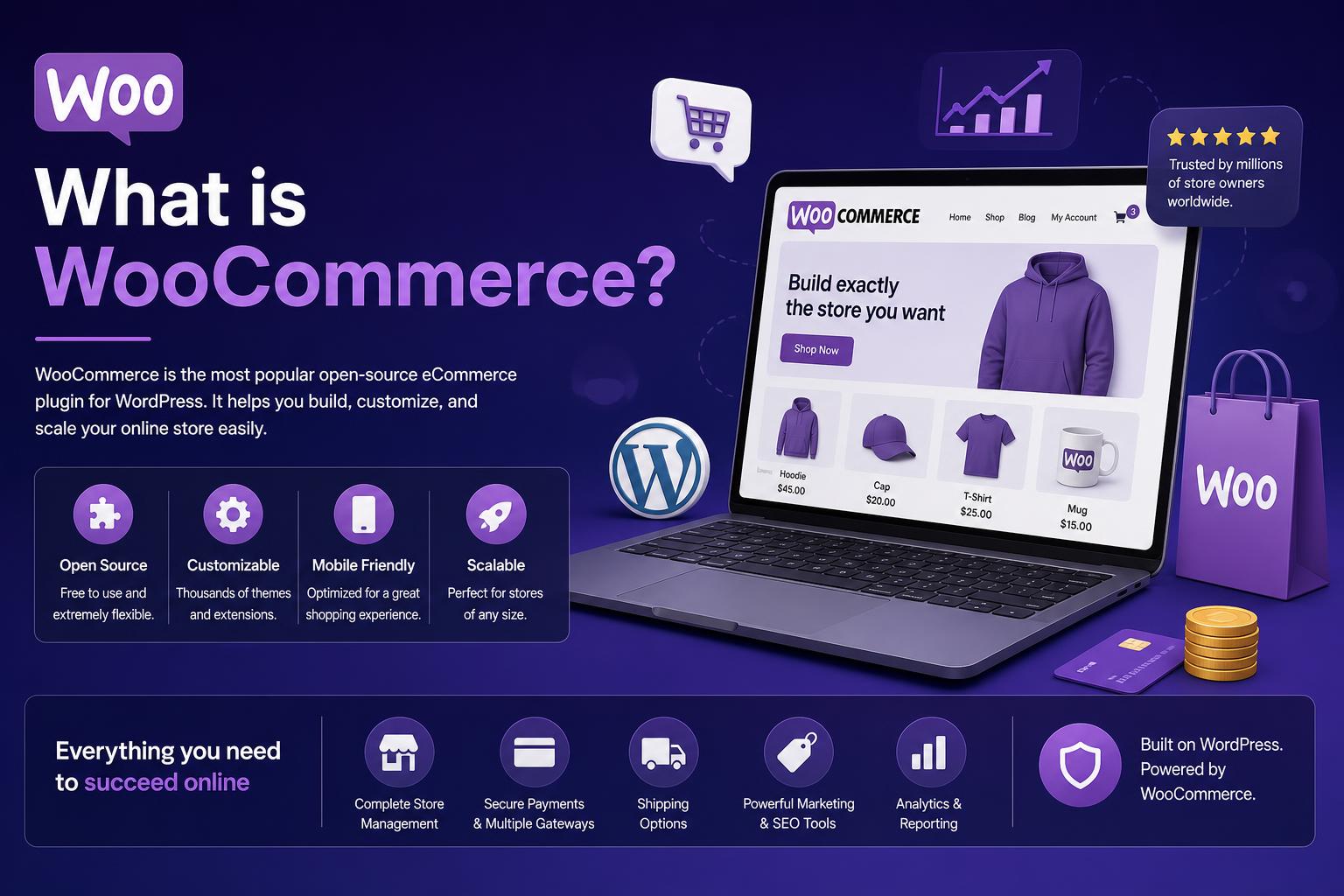
- WooCommerce is a free, open-source plugin for turning any WordPress site into a full-featured online store.
- It empowers merchants to sell physical products, digital goods, services, bookings, subscriptions, and even affiliate products with extensive customization and control.
- The plugin is highly modular and scalable, allowing businesses to expand with premium extensions for payments, shipping, marketing, and more while giving complete ownership over data and design.
- Running a successful WooCommerce store involves strategic choices in hosting, themes, extensions, and maintenance to strike a balance between flexibility, performance, and cost.
Have you ever wondered how to transform your WordPress website into a powerful, personalized online store without breaking the bank or handing over control to a third-party platform? If so, WooCommerce is probably a name you’ve already run across, whether you’re launching your first shop, expanding an existing business, or simply curious about the world of digital commerce. But is WooCommerce really the best choice for launching your online storefront—and what exactly does it do?
Let’s roll up our sleeves and get into the nuts and bolts of WooCommerce in today’s e-commerce landscape. This is not just another list of features or a shallow overview. Instead, you’ll find an in-depth, exhaustively detailed look at WooCommerce—what it is, what it can do, who it’s best for, and how to ensure your shop stands out. This guide takes all leading sources into account, updates outdated takes, and tells the honest story—including those pricing and complexity details you won’t always hear about. Whether you’re a first-time shop owner or a developer looking for platform comparisons, this resource will clear up everything you need to know about WooCommerce today.
Understanding WooCommerce: The E-commerce Powerhouse for WordPress
WooCommerce is a robust, free plugin that integrates directly into any WordPress website, granting it the ability to function as a customizable online store. Launched in 2011 by WooThemes and now maintained by Automattic (the team behind WordPress.com), WooCommerce is the world’s most popular e-commerce solution for WordPress, and it’s open-source. That means the core software itself comes at no cost, and you’re free to customize or extend it however you want.
The beauty of WooCommerce lies in its versatility. Whether you’re running a tiny at-home craft shop or managing thousands of products for a global brand, WooCommerce adapts to suit your needs. Its features go far beyond basic shopping carts—you gain total control of your customer data, user experience, payment methods, shipping, and much more. You’re also never held hostage by costly platform fees or revenue splits; the foundation is yours to build on, and your store’s data always belongs to you.
Why Do So Many Businesses Choose WooCommerce?
It’s flexible, free at the foundation, and gives you ownership of everything the moment you install it. Let’s break down the major reasons WooCommerce dominates e-commerce for WordPress:
- Open-source freedom: You own your content, your products, your customer info. No forced revenue share and no vendor lock-in.
- Unlimited customization: From themes to checkout fields, everything can be tailored, often visually (even if you don’t code).
- Sell almost anything: Physical goods, digital downloads, services, subscriptions, bookings, event tickets, and affiliate products—it’s all possible.
- Scalability: Powering everyone from artisans to companies processing thousands of daily orders.
- Extensive ecosystem: Thousands of plugins/extensions (free and premium) add marketing, analytics, payment gateways, shipping automation, and more.
- Built for WordPress: The seamless blend lets you combine powerful content marketing, blogging, and store management—all from the same dashboard.
- Cost control: With no monthly fee for the core plugin, you only pay for the add-ons, hosting, or development you actually need.
This approach gives shop owners—especially those already familiar with WordPress—a direct path to e-commerce that’s as straightforward or as sophisticated as needed.
The Core Features of WooCommerce
What exactly does WooCommerce do? Imagine it as the backbone powering all your vital shop operations, while remaining invisible to your customers.
- Product Management: Effortlessly add, categorize, and edit products, manage images and variations, set pricing, and handle inventory.
- Inventory Tracking: Set low-stock alerts, backorder rules, and track sales from a unified dashboard—even on your mobile with the WooCommerce app.
- Cart & Checkout: A complete shopping cart system with customizable checkout fields, promo code management, and guest or user account options.
- Payment Gateways: Out-of-the-box support for cash, bank transfers, and extensive add-ons let you accept credit cards, wallets (Apple Pay, Google Pay), and numerous country-specific services.
- Shipping Setup: Set flexible zones, rates, and methods (flat, free, local pickup), calculate shipping by region or product type, and print labels straight from your dashboard in supported regions.
- Tax Automation: Enter VAT/GST rates, automate calculations at checkout, and easily comply with regional tax requirements (up to GDPR and PCI-DSS, depending on your extensions and host).
- Order and Customer Management: View, update, and process orders, issue refunds, and keep customers informed throughout the fulfillment process.
- Sales Analytics & Reporting: Access comprehensive built-in reports, track key metrics, and connect with Google Analytics for deeper insights.
- Marketing Tools: Integrate with email services, run promotions, offer coupons and discounts, and recover abandoned carts with dedicated extensions.
- Security by Design: Support for SSL, GDPR tools, and regular plugin updates keep your customer data safe (though responsibility for hosting-level security lies with you).
Thanks to its modular approach, WooCommerce is lean by default but endlessly expandable.
Who Should Use WooCommerce?
WooCommerce is ideal for:
- Anyone comfortable with WordPress who wants to own every aspect of their shop.
- Businesses combining content and commerce—such as bloggers expanding into product sales.
- Entrepreneurs needing flexibility for complex sales models or advanced design customization.
- Store owners wishing to avoid mandatory monthly platform fees or revenue sharing.
WooCommerce might not be the best fit if:
- You want an all-in-one hosted service that automatically handles updates, security, and scalability with minimal decision-making (think SaaS, like Shopify or BigCommerce).
- You’re brand new to WordPress and dreading the learning curve for themes, plugins, and updates.
- You just want to launch fast and do not care to customize much or manage web hosting.
The Types of Shops You Can Build With WooCommerce
One of WooCommerce’s biggest strengths is that it isn’t just for shipping t-shirts or gadgets. The platform supports a surprisingly wide range of business models using its built-in tools and extensions:
- Physical Products: From one-of-a-kind crafts to mass-produced electronics, with support for product variations, size and color options, stock management, and more.
- Digital Products: Sell eBooks, downloadable software, audio, PDFs, or image packs—delivery is handled natively, with secure file access for purchasers.
- Services & Bookings: Sell appointments, classes, rentals, or consultations using booking/appointment extensions that manage availability, schedules, and payments automatically.
- Subscriptions & Memberships: Charge for recurring goods (like monthly boxes), offer gated content, memberships, or ongoing services. Requires premium extensions but offers flexibility for SaaS, print, or content models.
- Events & Tickets: List and sell access to physical or virtual events, issue tickets, send reminders, and track attendees with dedicated add-ons.
- Affiliate & External Products: Curate a product list that links to other stores as an affiliate, earning commission without owning stock or managing shipping.
While the default plugin supports basics for physical and digital goods out of the box, extras like bookings and subscriptions require targeted (often paid) add-ons.
How WooCommerce Compares With Other E-commerce Solutions
When choosing an e-commerce platform, it’s vital to understand not only what WooCommerce can do, but also how it stacks up against leading alternatives:
WooCommerce vs Shopify
- Ownership: With WooCommerce, you fully control all data, hosting, and code. Shopify is cloud-based—easy, but you’re tied to their ecosystem and policies.
- Fees: WooCommerce core is free, and you control costs through your choice of hosting and extensions. Shopify charges platform fees starting around $29/month, plus additional transaction costs and third-party app fees.
- Customization: WooCommerce is highly customizable with no limits, provided you (or your developer) are comfortable managing WordPress. Shopify restricts customization, especially on lower plans.
- Setup: Shopify is a faster launch, with hosting and updates handled for you. WooCommerce requires more setup, but offers unlimited flexibility.
WooCommerce vs BigCommerce
- BigCommerce: Another powerful SaaS solution with managed hosting and built-in features, but monthly fees, product limits, and less flexibility than WooCommerce.
- WooCommerce: Extensive freedom and control, but requires more responsibility for maintenance, updates, and security.
WooCommerce vs Wix, Squarespace, or Website Builders
- Easy launch: Builders like Wix and Squarespace are excellent for fast startup and low-tech shops but limited in scale, customization, and data control.
- WooCommerce: Better for serious businesses expecting to grow, need advanced functionality, or want to own their infrastructure and customer data.
Breaking Down the True Cost of WooCommerce
Is WooCommerce really free? The base plugin is 100% free, but operating a serious online store involves several additional costs. The upside: you have far more flexibility to control and optimize your budget as you grow. Let’s highlight what to expect:
Mandatory Expenses
- Domain name: The web address for your site (e.g., mystore.com). Around $10-20/year.
- Hosting: Where your website lives. Ranges from $10/month (basic shared hosting) up to $30+ for performance-optimized managed WordPress hosting, or much more for enterprise solutions.
- Payment gateway fees: These are charged by Stripe, PayPal, or whichever gateway you connect; typically ~2.9% + 30¢ per transaction. WooCommerce itself does not take a platform cut.
Additional Common Costs
- Premium Extensions: Want bookings, subscriptions, or advanced shipping tools? Official add-ons range from $29 to $299/year each.
- Theme: While many free themes work well, premium themes (like Storefront or others in the WordPress Theme Directory) or visual builders (such as Elementor Pro) range from $50-120/year.
- Design & Development: Optional but sometimes necessary, especially for custom layouts or complex shops; agency builds can start at $2,000 and go up based on requirements.
The advantage here: You control every line item. Start small, and only invest in add-ons as you outgrow the basics. Costs for simple shops can be as little as $100-200 per year, while high-end builds require much more but deliver unmatched flexibility and power.
How to Install and Set Up WooCommerce: Step-by-Step
WooCommerce’s setup process has become more user-friendly than ever:
1. Prepare Your Foundation
- Get a domain name and hosting plan that supports PHP 7.4+, MySQL 5.5.5+, and HTTPS (SSL).
- Install WordPress on your hosting if it’s not already up.
2. Install WooCommerce
- Log into your website’s admin (wp-admin).
- Go to Plugins > Add New, search “WooCommerce”, and click Install, then Activate.
3. Use the Setup Wizard
Immediately after activation, WooCommerce walks you through a guided wizard. It covers:
- Store Settings: Your business location, industry, and what you’re selling.
- Product Types: Physical, digital, or both?
- Payment and Shipping: Choose preferred gateways and set up initial shipping options.
- Design: Choose a theme (or stick with your current one).
- Additional Tasks: Add your products, configure tax (VAT), set your store homepage, etc.
4. Refine and Customize
- Edit the WooCommerce settings menu to adjust payments, shipping zones, tax rules, customer account options, privacy and emails.
- Install extensions as needed for advanced features (Subscriptions, Bookings, Marketing, Analytics, SEO, etc).
- If desired, apply a WooCommerce-specific theme or a visual builder plugin (such as Elementor) for greater layout control.
- Test with sample data and preview as needed—WooCommerce provides import files to simulate a store before going live.
How Customizable is WooCommerce?
Customization is a core strength of WooCommerce. By default, the plugin creates functional but generic shop, product, cart, and checkout pages. The real magic comes when you take control and tailor every detail to your needs:
- No-code visual customization: Tools like Elementor allow full drag-and-drop editing of your product, cart, and checkout pages—no coding needed!
- Complete design control: Build unique layouts, add branded content, tweak button placements, and insert trust signals/testimonials right where they help most.
- Template customization: Developers can override WooCommerce templates with code for precise adjustments.
- Extensions for everything: Extend shipping, payments, analytics, or marketing with official and third-party plugins. The WooCommerce Marketplace is massive—there’s an add-on for every workflow imaginable.
Whether you’re a store owner wanting an easy drag-and-drop approach or a developer hunting for granular code hooks, WooCommerce meets you at your level.
Ecosystem and Extensions: Growing Beyond the Basics
Why does WooCommerce scale so well? It isn’t just the breadth of out-of-the-box features—it’s the interconnected ecosystem that has grown around it. From payment gateways to SEO to shipping and inventory, you’ll find both free and commercial extensions to take your shop wherever you want to go:
Popular Types of Extensions
- Payments: Stripe, PayPal, WooPayments, Square, and local options for almost any country.
- Shipping: Real-time rates from UPS, FedEx, DHL, and regional carriers; label creation; complex rules (weight, location, price-based), and more.
- Marketing: Connects with tools like Mailchimp, HubSpot, Facebook Ads, and Google Ads.
- Product Add-ons: Product bundles, extra options, user-uploaded files, advanced pricing logic.
- Subscriptions and Bookings: For recurring revenue, member areas, events, and appointments.
- SEO: Integrates perfectly with Yoast SEO, Rank Math, and other favorite WordPress optimization plugins.
- Analytics: Enhanced reporting dashboards and connections with Google Analytics or custom BI tools.
There are hundreds of official extensions and thousands more third-party plugins. This ecosystem means your store is never limited by what’s in the box—you can always expand, optimize, and grow.
Themes and Design: Making Your Store Look Unique
While WooCommerce works with nearly any WordPress theme, results can truly shine when paired with a WooCommerce-optimized theme. There’s a wide selection available, ranging from Storefront (the official free theme) to popular premium choices, and full visual builders like Elementor and Divi.
Design Capabilities
- Professional templates: Treat your store not just as a shop, but as a branded experience. Use pre-built kits or start from scratch for total creative freedom.
- Custom pages and widgets: Add custom layouts to product, shop, checkout, and account pages, or add cross-sells, video, FAQs, and other interactive elements for conversion boosts.
- Mobile optimization: All modern themes are responsive, and leading builders include tools for mobile-specific customization.
Performance, Security, and Scalability
Your hosting is your store’s engine. WooCommerce’s scalability is proven—brands manage stores with tens of thousands of products and huge order volumes. The real limits are set by:
- Hosting quality: For serious shops, invest in high-performance or managed WordPress hosting. Google Cloud, AWS, and specialized hosts (like WP Engine or Elementor Hosting) offer scalable plans designed for e-commerce traffic.
- Site optimization: Optimized images, a lightweight theme, and caching plugins will dramatically improve load times and user experience.
- Security: Keep everything up to date, use SSL, and consider security plugins or firewalls. Ongoing backups are crucial, and high-traffic stores may need advanced protection.
Security patches and updates are frequent: WooCommerce maintains an active global development team and community, quickly addressing new vulnerabilities and regularly adding features. Automated updates and comprehensive documentation simplify maintenance.
Internationalization and Localization
WooCommerce isn’t limited to one country—its internationalization is top notch.
- Supported in dozens of languages and can be further localized by community contributions.
- Manage VAT/GST automatically with built-in tools and extensions, easily selling in the UK, EU, or beyond.
- Can operate in unlimited global markets without an extra fee (unlike some SaaS competitors).
- Integrates with tax, payment, and logistics solutions around the world, letting global businesses operate smoothly.
The Community and Support
WooCommerce’s community is a tremendous resource. With hundreds of contributors and millions of users, help is always close by:
- Official documentation: Comprehensive and updated with every release. Find setup guides, developer docs, and best practices at docs.woocommerce.com.
- Support forums and Slack: Get help from peers and developers in community forums and dedicated Slack channels.
- Meetups, WordCamps, and events: Free in-person and virtual events provide learning and networking opportunities worldwide.
- Dedicated support for paid extensions: If you purchase premium add-ons from the official WooCommerce Marketplace, you receive product support directly from the developers.
- GitHub and open development: Anyone can contribute to the plugin’s evolution or report bugs for transparent and continual improvement.
Common Challenges and Advantages: WooCommerce in Practice
Despite the benefits, WooCommerce is not a one-size-fits-all solution. Here’s what to expect on the ground, both the advantages and potential drawbacks:
WooCommerce Advantages
- Full data ownership and control—move your store, change your host, or export your data anytime.
- Limitless design and feature flexibility—keep your shop on-brand and tailor every process to your liking.
- Pay only for the tools and capacity you need—there’s no forced monthly plan, revenue cut, or feature bloat.
- Seamless integration with WordPress—manage blogs, landing pages, and product catalogs under one roof.
- Vast ecosystem—thousands of extensions, tools, and services to automate, market, and scale.
WooCommerce Challenges
- Manual updates and maintenance—unless you choose managed hosting, you’re responsible for keeping everything secure and up to date.
- Some technical know-how needed—advanced setups, especially around payments, shipping, and extensions, may require research or developer support.
- No centralized support for the free core—help for the base plugin comes from community forums, not a dedicated team (unless you’re using a paid add-on).
- Leaving WordPress means leaving WooCommerce—your store is tied to the wider WordPress ecosystem.
Modern Workflow: From Setup to Launch
Ready to launch but want the process to move faster and look more modern? Here’s how today’s entrepreneurs accelerate their WooCommerce setup:
- Start with pre-built kits—visual builders like Elementor offer complete website kits, including shop, product, and checkout templates. Get your foundation live in minutes, not weeks.
- Use AI for content creation—generate unique, engaging product descriptions, metadata, and even marketing copy using AI tools built into platforms like Elementor AI or external writing assistants.
- Optimize images and assets—use plugins for automatic image compression and conversion to modern formats (WebP), ensuring your store loads blazingly fast.
- Automate marketing—set up automated emails, cart abandonment reminders, and one-click marketing campaigns right from your dashboard.
Frequently Asked Questions About WooCommerce
Is WooCommerce really free? Yes, for the plugin itself. You will still incur costs for hosting, your domain name, and any paid extensions or themes needed for your specific business model.
How many products can WooCommerce handle? There is no built-in limit—WooCommerce’s performance scales with your hosting resources and optimization. Stores with hundreds of thousands of products are run successfully.
Is WooCommerce good for SEO? Absolutely. Being built on WordPress, it inherits the platform’s SEO strengths and works flawlessly with popular optimization plugins.
How does WooCommerce compare to SaaS platforms? WooCommerce gives total ownership, flexibility, and cost control, but requires more responsibility for setup and maintenance compared to managed SaaS solutions.
Do I need to code to use WooCommerce? Not at all for basic stores—visual builders, blocks, and intuitive interfaces make setup as friendly as possible. Coding is only required for advanced customizations.
Can I migrate an existing store to WooCommerce? Yes, tools like LitExtension offer both automated and supported migration options to safely transfer your products, orders, customers, and content with minimal disruption.
Where can I find WooCommerce themes and plugins? The official WooCommerce website and WordPress Plugin Directory are the best starting points for vetted, secure, and up-to-date extensions and themes.
What’s the future of WooCommerce? The platform continues to grow rapidly, with new tools for performance, headless e-commerce, and no-code customization fueling adoption across all segments of online retail. Its large open-source community guarantees long-term viability and adaptability to upcoming e-commerce demands.
Total flexibility, endless customization, and complete data ownership make WooCommerce the top platform for businesses serious about scaling their e-commerce presence on WordPress. With a constantly expanding ecosystem of extensions, themes, and tools, plus active community and developer support, it’s well-positioned for growth—providing a store that’s as unique as your brand. Armed with the right knowledge and tools, WooCommerce lets ambitious entrepreneurs and established brands alike turn their e-commerce dreams into reality without compromise.