
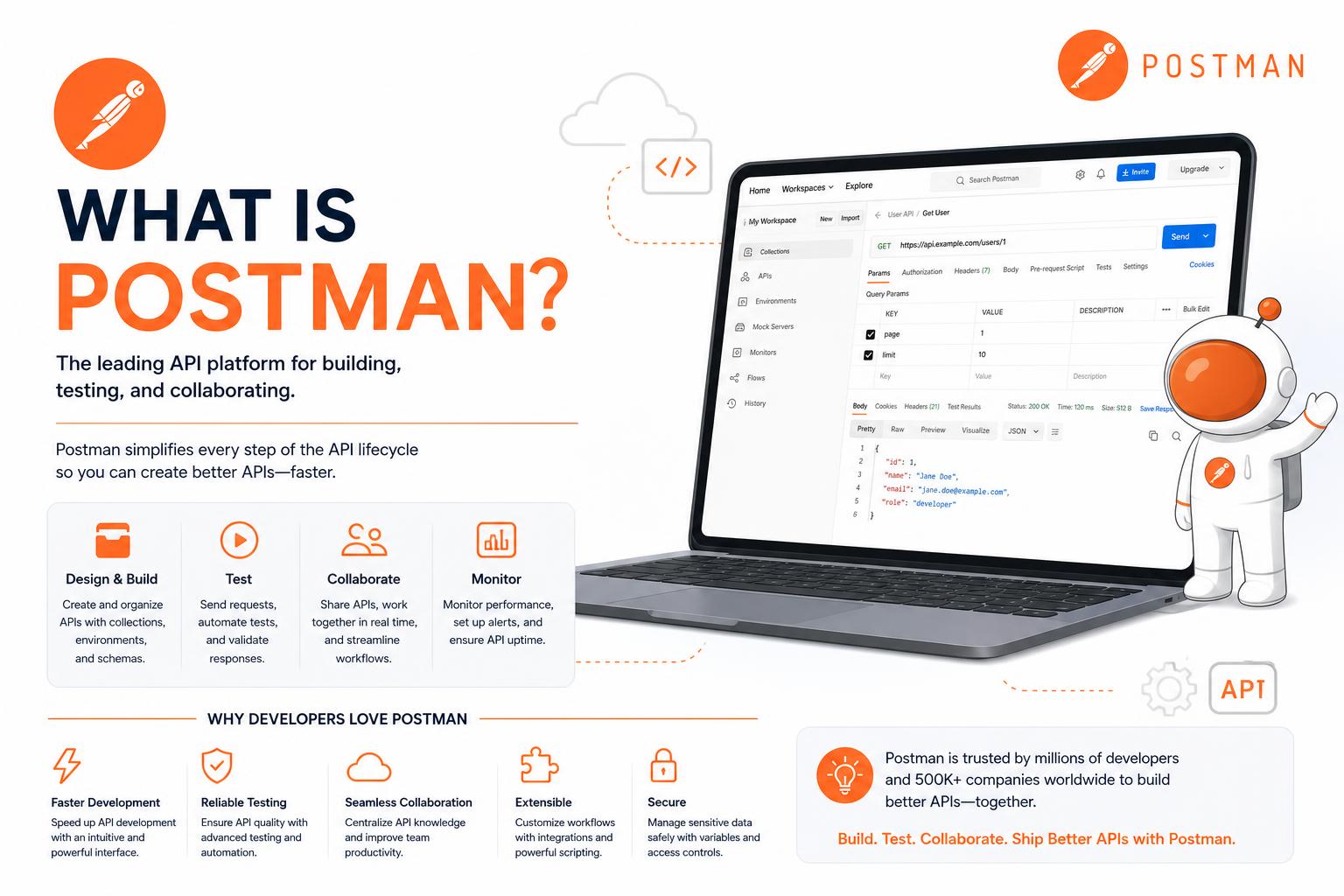
- Postman is a comprehensive platform for building, testing, documenting, and managing APIs from start to finish.
- Key features include automated testing, mock servers, visual API design, collaboration tools, and AI-powered insights.
- Suitable for individuals and teams, but team collaboration requires a paid plan; free alternatives like Apidog exist for small teams.
APIs are the backbone of modern software, and anyone involved in developing, testing, or integrating them has heard of Postman. But what exactly is Postman and why has it become the go-to tool for developers and teams around the globe? Whether you are a beginner or a seasoned engineer looking to get the most out of your API workflow, understanding Postman is essential.
Let’s take a deep dive into Postman: its origins, how it works, core features, real-world applications, pricing, and what sets it apart in today’s API-driven landscape. If you’re considering using Postman or simply want to learn more about what it offers, read on—and get ready to become an API aficionado!
The Origins and Rise of Postman
Postman started in 2012 as a personal project by Abhinav Asthana, who sought to streamline API testing during his work at Yahoo! Bangalore. The tool, initially a simple utility released on the Chrome Web Store, rapidly gained traction for its ease of use and functionality. Recognizing the soaring demand, Abhinav joined forces with Ankit Sobti and Abhijit Kane to officially found Postman, Inc.—a company focused on building robust solutions for API development. Today, Postman’s leadership still features all three founders, and the company is headquartered in San Francisco, with additional offices spanning Tokyo and Bengaluru.
As Postman’s popularity soared—reaching hundreds of thousands of users organically—it evolved from a basic tool into a powerful platform enabling end-to-end API lifecycle management for individuals and enterprises alike. Key milestones include multi-million-dollar funding rounds, international expansion, and strategic acquisitions (like Akita for API observability, liblab for SDK automation, and Orbit for developer community management). These moves further cemented Postman’s reputation as a market leader in API solutions.
What Is Postman?
At its core, Postman is an all-in-one platform for building, testing, and managing APIs. The platform enables both solo developers and large organizations to collaborate on designing, debugging, automating, documenting, and monitoring their APIs. Whether you’re integrating third-party APIs or building your own, Postman centralizes every aspect of the API process in a single, user-friendly interface.
The platform has grown to support a broad range of needs: from sending a simple HTTP request to running comprehensive test suites, documenting endpoints, simulating responses with mock servers, and organizing every related asset in easily sharable collections and workspaces. It is designed for versatility—equally useful for solo projects, agile teams, or enterprise-scale API infrastructure.
Why Postman Is Essential for Modern API Development
APIs have exploded in volume and complexity in the last decade, making effective tooling indispensable. Previously, developers juggled browser plugins, cURL, primitive HTTP clients, and manual testing scripts. Postman changed the game by providing a single platform covering:
- API design and mockup
- Request building and testing
- Automated test execution and validation
- Comprehensive documentation
- Collaboration and governance
This end-to-end approach not only shortens development cycles and lowers error rates but also makes APIs accessible to a wider audience. Product managers, technical writers, QA testers, and even business stakeholders can leverage parts of Postman in their workflow.
How Does Postman Work? Key Features Explained
User Interface and Application Versions
Postman can be used as a desktop app for Windows, macOS, and Linux, or directly via web browser. The desktop version offers full access to all features, such as capturing API traffic locally via proxy. The web-based client is lighter, perfect for quick exploration or when local installations aren’t possible—but with some limitations around advanced operations like local proxies.
The workspace in Postman is structured for clarity and efficiency. Key sections include:
- Collections: Group and organize API requests, making them reusable, automatable, and shareable.
- Request Builder: Craft HTTP requests (GET, POST, PUT, PATCH, DELETE), configure URLs, headers, parameters, and request bodies.
- Response Viewer: View and analyze returned data in multiple formats (JSON, XML, HTML, plain text).
- Workspaces: Organize your collections and collaborate with teammates, supporting Personal, Team, Partner, and Public access levels.
Building and Sending Requests
With Postman, testing an API is as easy as entering an endpoint, selecting a method, and hitting “Send”. The tool handles everything from parameter entry to rendering the server response, displaying critical details like:
- Headers: Content-Type, Authorization, custom headers, and more.
- Body: JSON, HTML, form data, etc.
- Status Codes: HTTP status (200, 404, etc.), plus performance timing and response size.
Understanding the headers in responses is vital. For example:
- Keep-Alive lets connections be reused for multiple requests, improving efficiency.
- Content-Length discloses the size of the data returned.
- Date and X-Powered-By show processing time and underlying server technology.
- ETag signals content versioning, assisting with caching.
Automated Testing and Scripts
Postman’s automation capabilities are a major strength. You can write pre-request and post-response scripts using JavaScript to:
- Set and update environment variables
- Assert on response content
- Chain requests together
- Mock API behavior
This allows for integration, regression, unit, and even performance/load tests, ensuring reliability before an API reaches production.
Mock Servers & Monitoring
Mock servers in Postman let you simulate an API’s response before it’s actually implemented. This is invaluable for frontend developers, testers, or teams working in parallel. Meanwhile, Monitors are cloud-based and continuously run collections to spot errors and latency issues from different geographic regions. These can be integrated into third-party alerting systems and dashboards for proactive issue detection.
API Repository & Governance
Postman serves as a central repository for all things API. Store, index, and access designs, documentation, environment settings, and test cases in one place. Tooling for governance helps ensure internal standards across APIs, reducing proliferation and fostering consistency and security across your organization.
Collaboration Features
Collaboration is in Postman’s DNA. Workspaces and collections can be shared easily with your team, partners, or the wider public. The ability to synchronize work, delegate tasks, and maintain versions makes it an agile companion for distributed teams. For security and compliance, teams can enforce policies around API usage, review, and publication.
Main Tools and Unique Capabilities in Postman
- Visual API Designer: Intuitive interface to define endpoints, schemas, requests, responses, and authentication. Supports OpenAPI, RAML, GraphQL, SOAP, and more.
- Flows: Create advanced and automated sequences of API calls in a visual, drag-and-drop environment.
- API Catalog: Organize all APIs across an organization, supporting both human and AI-powered agent teams, with fine-grained control over security and governance.
- AI-powered Features: Latest Postman releases introduce AI to expedite documentation, generate sample code, test assertions, perform advanced debugging, and suggest fixes. Version 11 strengthened AI-native workflows, enabling Git-native workspaces and intelligent insights across the platform.
- API Network: Explore and fork thousands of public APIs directly from the Postman API Network, speeding up evaluation and integration.
Postman in Practice: Example Workflow
1. Create and Organize API Requests
Start by creating a collection and adding requests for your target endpoints. Each request is built with the required HTTP method, URL, headers, authentication, and body data.
2. Run and Inspect Requests
Send individual requests and analyze server responses. Postman provides a real-time, detailed view—including headers, body, and status information, all in one place.
3. Automate Tests
Define assertions as scripts to validate responses automatically. These can check status codes, JSON schema, values, and more. Postman’s automation helps catch regressions early in development.
4. Organize with Folders and Collections
Group requests logically using folders within collections. This enables scalable management, clear organization, and bulk test or run capabilities. You can also export or share your collections with colleagues and even import from or to similar tools.
5. Use Mock Servers and Monitors
Create mock servers for endpoints not yet implemented and set up monitors to track API performance. Monitors will help catch downtime, errors, or slow responses proactively.
6. Team Collaboration
Invite teammates, define roles, and work together on API projects in shared workspaces. Real-time editing, commenting, and version tracking keep everyone in sync.
Pricing, Plans, and Alternatives
Postman offers several pricing tiers, scaled for individual developers, teams, and enterprises. As of March 2026, plans include:
- Free: Single user, unlimited collection runs, mock servers, and limited monitoring; no team workspace access.
- Solo: $9/month for one user, with expanded monitoring.
- Team: $19/user/month, enabling full collaboration, workspace sharing, and AI credits per team member.
- Enterprise: $49/user/month, adding features like Single Sign-On (SSO), compliance, advanced audit, and premium support.
A notable limitation of the free plan is the single-user cap—teams will need to choose a paid plan or look for free alternatives like Apidog (offering unlimited runs and up to four collaborative users). Postman alternatives such as Apidog provide many similar features, including visual design tools, mock servers, auto-generated documentation, and real-time testing workflows, often geared toward startups or small teams looking for cost-effective solutions. Recent changes to Postman’s free plan (limiting team collaboration) have led to increased interest in these alternatives.
Postman’s Place in the Developer Ecosystem
With more than 100,000 public APIs accessible via its API Network and a community spanning millions, Postman’s influence is vast. Recent investments in AI-native architectures (such as the Context Graph for improved system visibility and intelligent testing tools) signal the company’s commitment to adapting to the future of software development.
Postman isn’t just a tool for developers: its reach now includes QA testers, DevOps, product managers, technical writers, and even end users who need to evaluate and integrate APIs. Its robust documentation tools ensure that APIs are not only functional but also user-friendly and easy to adopt. Many businesses now treat API documentation and automated testing as crucial deliverables—areas where Postman excels.
Tips and Limitations
Getting started with Postman is straightforward, but becoming truly proficient requires an investment in learning its automation, scripting, and workspace management capabilities. For absolute beginners, the initial breadth of features may seem overwhelming; luckily, Postman offers extensive official documentation, tutorials, and a vibrant online community to help you get up to speed.
There are also a few trade-offs:
- If your workflow relies entirely on free team collaboration, you may find the new single-user free plan restrictive.
- Some advanced features—like governance, audit trails, and enterprise integrations—are locked behind higher-tier plans.
- For those who prefer native interaction with APIs (such as using cURL or programmatic libraries), relying on a GUI client like Postman might introduce extra steps, though its automation scripts and API-to-code features help bridge this gap.
Postman Plugins and Extensions
Postman’s extensibility is another key advantage. For advanced environments or customized workflows, there are plugins to integrate with coding agents, route traffic securely with packages like @postman/postman-passport (helping with key and token management), and support for IDE integration. The desktop agent further enables API calls to local/private networks, overcoming browser limitations.
Postman and the API Lifecycle: Design, Test, Document, Rollout
Ultimately, Postman’s goal is to simplify and speed up every phase of the API lifecycle:
- Design and document endpoints visually, ensuring clarity and consistency from the start.
- Automate and run comprehensive tests for reliability and security.
- Monitor live endpoints proactively and simulate new ones with mocks.
- Collaborate and share assets, feedback, and insights across the organization.
This holistic approach is why the world’s largest and most innovative companies use Postman to power everything from internal microservices to customer-facing platforms.
If you’re building, testing, or integrating APIs, mastering Postman (or a similar platform) is almost essential. With ready-made tools for every scenario, a thriving public API network, and continuous innovation—including robust AI features—Postman makes the API workflow faster, more collaborative, and far more enjoyable. Whether you choose the desktop or web app, team or solo plan, or even its open alternatives, understanding Postman is now a key skill for any developer, tester, or API consumer seeking efficiency and reliability in today’s digital world.