
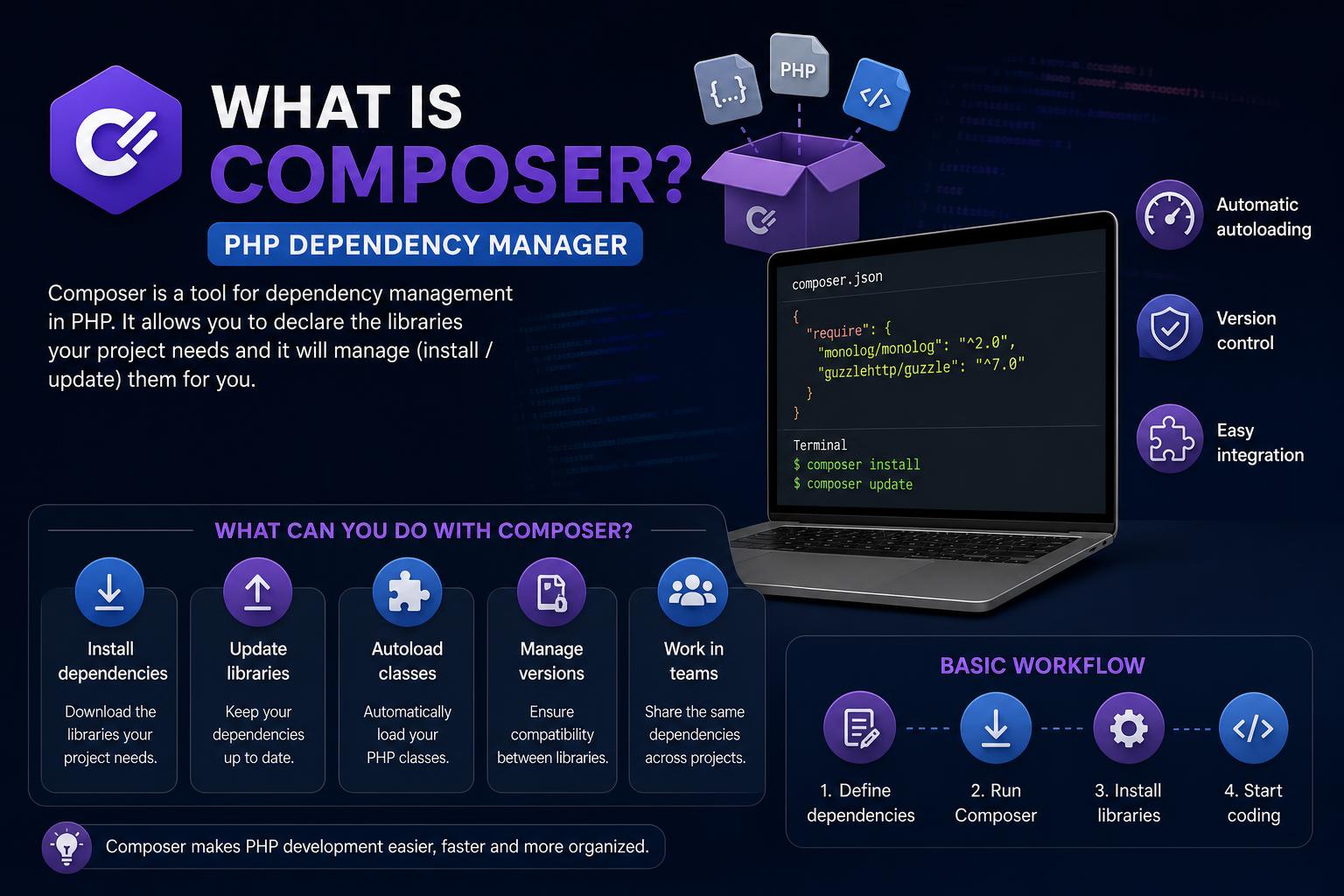
- Composer is a critical tool that streamlines PHP dependency management for modern workflows.
- The package manager offers features like autoloading and easy integration with popular frameworks.
- It connects developers to Packagist, PHP’s vast repository, hosting hundreds of thousands of reusable packages.
Composer has fundamentally transformed the way PHP developers approach their projects. It’s more than just a tool; it serves as the backbone of modern PHP application development. For anyone looking to build or maintain PHP applications, understanding what Composer is and how it works is absolutely essential. Gone are the days of manually managing dependencies, tracking down versions, or worrying if two libraries might clash—Composer handles these headaches for you.
Whether you’re setting up a tiny script, a sprawling web application, or a full-fledged enterprise system, Composer ensures your project runs smoothly. This article walks you through everything you need to know about Composer, from its origins and core features to its real-world applications and the ecosystems that rely on it. We’re diving into not only the technical nuts and bolts but also the broader picture—why Composer became so influential, and what makes it a go-to for PHP developers worldwide.
What Exactly Is Composer?
Composer is an application-level dependency manager for PHP. Developed by Nils Adermann and Jordi Boggiano, it began in 2011 and was officially released in March 2012. This piece of software is strongly inspired by Node.js’s npm and Ruby’s Bundler, aiming to standardize and simplify dependency handling in PHP applications. At its heart, Composer allows you to specify the third-party code (libraries or packages) your project relies on, automatically locating, installing, and updating them as needed.
Before Composer, managing PHP dependencies was a slow and error-prone manual process. Developers often found themselves juggling various libraries, sometimes even copying entire codebases into their projects. Not only did this create bloated code, but keeping dependencies up to date or resolving conflicts became a nightmare. Composer revolutionized this by automating library management, helping projects stay lean, current, and robust.
Core Concepts and How Composer Works
At its most basic, Composer operates via the command line and uses a configuration file called composer.json. In this file, you declare the packages your application requires, along with specific version constraints. When you run Composer’s install or update commands, it reads this file, resolves the appropriate versions using its powerful dependency-solving algorithm, and downloads those packages into your project—all in a matter of seconds.
The practical result is that your code always works with the right versions of its dependencies, avoiding version conflicts and surprises during deployment. Composer downloads these libraries into a vendor directory and generates an autoload script, making it seamless to include any class from any package just by referencing that one script.
Integration with Packagist: A World of PHP Packages
Composer’s superpower is its connection to Packagist, the default package repository for PHP. Packagist hosts over 300,000 packages, giving developers access to solutions for almost anything—HTTP clients, logging frameworks, testing libraries, database connectors, you name it. When you search for or require a package through Composer, you’re tapping into this vast ecosystem of high-quality, reusable code.
How Composer Differs from Other PHP Package Managers
Prior to Composer, developers often used tools like PEAR to manage PHP libraries. However, PEAR installs packages globally, which could lead to version conflicts between projects. Composer, in contrast, works at the project level, keeping each project’s dependencies nicely isolated. It also supports powerful dependency resolution—its algorithm started as a PHP-based port of the SAT solver used in openSUSE’s package management tools—making sure that all requirements (including transitive dependencies) are satisfied with minimal hassle.
Composer’s Main Features at a Glance
- Project Isolation: Dependencies are downloaded per project, so different projects can use different versions without conflict.
- Version Control Integration: Composer-generated files and vendor libraries work hand-in-hand with Git or other VCS, making collaboration and deployment smoother.
- Autoloading: Composer automatically generates an autoload script, so classes from any package are available without manual includes or requires.
- Custom Repositories: Besides Packagist, Composer lets you define private or custom repositories for proprietary packages.
- Script Hooks & Flexibility: You can define scripts to run before or after Composer commands, allowing automated workflows (like clearing caches or running tests).
Composer in Action: Basic Workflow
Getting started with Composer is refreshingly simple, even for beginners. Here’s how a typical setup looks:
- Install Composer: Download and install Composer from its official website, following the instructions for your operating system.
- Initialize Your Project: Inside your project directory, run the interactive command
composer initto create your composer.json file and specify your project’s basic info and dependencies. - Add Packages: Use commands like
composer require vendor/packageto fetch packages as needed. Composer checks Packagist, downloads the packages and their dependencies, and updates your composer.json and composer.lock files accordingly. - Autoload Your Classes: Simply include the autogenerated autoload file (
vendor/autoload.php) in your application’s entry point, and every class from every loaded package will be available instantly.
If your website needs to handle UUIDs, you might add the ramsey/uuid package—Composer fetches it, takes care of dependencies, and makes its classes available for immediate use, all through the magic of the autoloader.
Composer’s Role in Popular PHP Frameworks and Projects
Today, almost every major PHP web framework depends on Composer. Whether you’re working with Laravel, Symfony, CakePHP, Yii, CodeIgniter, or even CMS platforms like Drupal or TYPO3, Composer is at the core of package management.
Laravel, in particular, has baked Composer so deeply into its development flow that everything from project creation to adding features happens through Composer commands. Symfony and many other frameworks similarly leverage Composer for both dependency management and class autoloading. Even major e-commerce solutions like Magento and advanced platforms like Neos Flow depend on Composer, underlying their plugin ecosystems and installation methods.
Real-World Example: Setting Up a Composer Project
If you’re just getting started, here’s what your first Composer-based project might look like:
- Install Composer: Visit getcomposer.org and follow the installation steps (available for Windows, macOS, and Linux).
- Create Your Project Directory: Navigate to your desired folder and make a new directory for your project.
- Initialize composer.json: Inside your new directory, run
composer initand answer the prompts—project name, description, authors, minimum PHP version, dependencies, etc. - Add a Dependency: Run
composer require guzzlehttp/guzzleto add Guzzle, a popular HTTP client for PHP. Composer downloads Guzzle and all its dependencies and updates composer.json and composer.lock files. - Use the Autoloader: In your PHP code, simply reference:
Now all classes from Guzzle (and any other installed library) are available.require 'vendor/autoload.php';
Understanding the Composer Autoloader
One of Composer’s standout features is its ability to autoload PHP classes. Traditionally, PHP developers needed to manually include or require every file they wanted to use—a tedious process that didn’t scale for larger projects. Composer fixes this by generating a single autoload script that automatically loads any class from your dependencies transparently. With the right configuration in composer.json, Composer can even autoload your own classes, following PSR-4 or PSR-0 standards or a classmap for custom directories.
Keeping Your Project Up to Date with Composer
Over time, projects evolve and packages get security or feature updates. Composer makes updates a breeze. Running composer update will go through all dependencies and fetch the latest compatible versions according to your version constraints. This means that keeping your project up to date requires far less work and risk than in manual installations.
Composer in the Broader Ecosystem: Comparing Package Managers
It can be helpful to think of Composer in the context of other programming languages:
- npm for Node.js: Handles JavaScript packages and dependencies.
- RubyGems for Ruby: The go-to for Ruby libraries.
- pip for Python: Python’s main package management tool.
- NuGet for .NET: For the .NET ecosystem.
- Java has Maven and Gradle; Rust uses Cargo.
Composer is PHP’s answer to these tools—modern, battle-tested, and critical for contemporary coding practices.
Security, Collaboration, and Best Practices with Composer
Composer not only simplifies dependency management, but also fosters collaboration and safer, more reliable codebases.
- Lock Files Make Builds Repeatable:
composer.lockrecords the exact installed versions, ensuring everyone on your team uses the same packages in every environment. - Easy Collaboration: By adding your vendor directory to .gitignore, you dodge bloated repositories—every collaborator just runs Composer to install dependencies.
- Security Audits and Best Practices: Composer can analyze your dependencies for known security vulnerabilities, helping you keep your project safe.
Popular cloud hosts and CI/CD pipelines now natively support Composer, making it easier to automate testing, deployment, and scaling operations.
Composer for Modern PHP Development
If you’re working with a contemporary PHP stack, Composer isn’t just an option—it’s the foundation. Laravel, Symfony, CakePHP, and countless CMS platforms all rely on Composer for seamless extension and robust ecosystems. Installing a Laravel application, for example, is almost synonymous with running Composer commands.
When installing Laravel, Composer doesn’t just fetch the framework; it pulls all required packages, ensures all dependencies are compatible, and prepares everything for efficient autoloading. The same workflow applies when integrating packages like Carbon (for sophisticated date/time manipulation), PHPUnit (for automated testing), or Guzzle (for HTTP requests). Each package is fetched, linked, and updated through Composer, so your workflow remains consistent and predictable.
When Not to Use Composer?
Although Composer is a powerhouse, there are scenarios where it might not be strictly necessary. For example, extremely small scripts, disposable prototypes, or highly specialized environments with rigid security constraints might not leverage Composer fully. Yet, as your project grows, or if you expect to share code, work in teams, or build on third-party libraries, Composer transitions from optional to essential.
Another occasional caveat: Composer requires access to the command line and a working internet connection (for fetching packages), which can pose a limitation on certain shared hosting environments or locked-down systems. Still, most modern PHP hosts now support or even expect Composer-based builds.
Composer’s Ongoing Evolution
Composer continues to evolve with the PHP landscape. The developer community consistently updates Packagist, new features are added, and the dependency resolution engine gets smarter with each release. As the centerpiece of PHP package management, Composer has become indispensable—not only for frameworks, but for virtually any professional-grade PHP project.
Throughout its history, Composer has drawn on the best ideas from the wider open-source community, adapting technical innovations from other languages while remaining tailored to PHP’s unique needs. The co-founders and contributors are highly active, ensuring that security, performance, and usability remain top priorities.
Investing time to understand its workflow will unlock more efficient, reliable, and enjoyable development for years to come.