
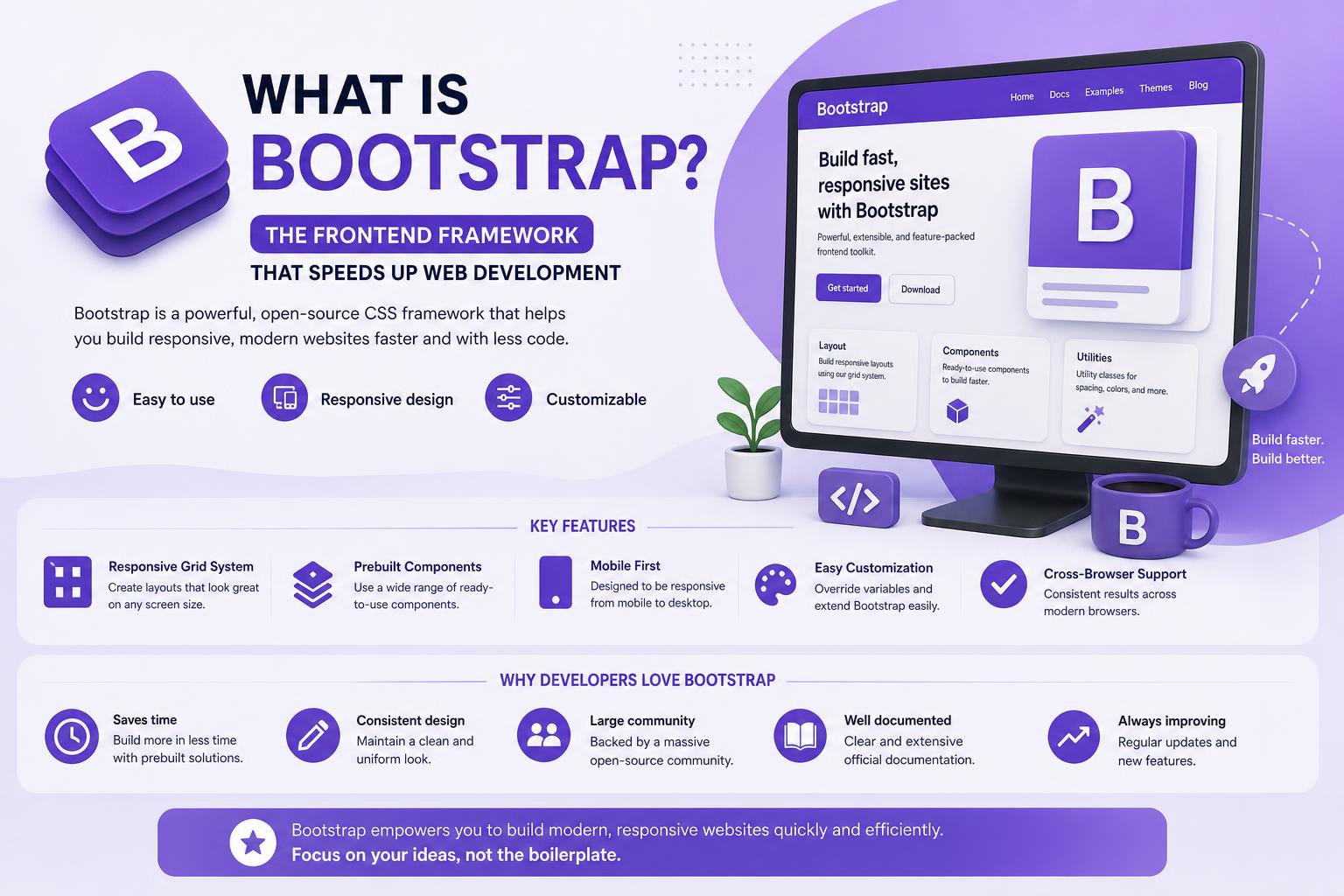
- Bootstrap is a free, open-source toolkit for quickly building responsive, mobile-first websites using ready-made HTML, CSS, and JavaScript components.
- Its grid system and range of components simplify designing layouts that adapt seamlessly to any device or screen size.
- With cross-browser compatibility and strong community support, Bootstrap remains a top choice for both novices and seasoned developers.
If you’ve dabbled in web development or just started exploring how websites are made, you’ve probably stumbled across something called “Bootstrap.” Maybe you’ve heard developers raving about how it saves them hours of fiddling with CSS or helps their sites look consistently professional, no matter the device. But what exactly is Bootstrap, and what makes it such a headline player in the web design world?
Well, grab a coffee and settle in, because we’re about to take a deep dive into everything Bootstrap—how it was born, what it really does, why you might want to use it, and some of its gotchas and unique advantages. By the end, you’ll have a clear understanding of why this toolkit sits at the top of so many developers’ must-have lists, and possibly feel inspired to use it for your next project.
Understanding Bootstrap: The Basics
Bootstrap is a free, open-source front-end framework designed to simplify and speed up web development, especially when it comes to creating mobile-responsive sites and apps. Originally birthed at Twitter in 2010 and officially released to the public in 2011, it quickly shot to fame among developers who wanted to build visually appealing, flexible, and consistent UIs without reinventing the wheel every time.
At its core, Bootstrap is a collection of pre-written HTML, CSS, and JavaScript code—think of it as a giant “toolbox” full of already-designed page elements like navigation bars, buttons, forms, modals, carousels, alerts, and cards, plus a layout grid system that adjusts content to every device’s screen size. You can integrate Bootstrap via CDN or by downloading its files and including them locally. For developers, this means less time battling browser quirks or fussing over styling basic UI components and more time customizing for their specific needs.
The DNA of Bootstrap: What Makes It Special?
Bootstrap isn’t just about speeding up your workflow—it’s about ensuring your site looks great and functions as intended, whether viewed on a phone, tablet, or desktop. Here are some of Bootstrap’s main building blocks:
- Grid System: The true backbone of Bootstrap. Its grid uses rows and columns to let you easily structure layouts that “stack” or resize automatically based on device width. You can create multi-column designs, center your content, and adjust layouts for every breakpoint (from tiny phones to giant desktops) without the headache of custom CSS or media queries.
- Responsive Design: Bootstrap follows a “mobile-first” philosophy. This means every component is built to be responsive by default—think buttons that resize, menus that collapse, and columns that snap into place on smaller screens. You barely have to lift a finger to make your site usable everywhere.
- Pre-Built Components: Buttons, cards, forms, dropdowns, navbars, modals, alerts, tooltips, and many more elements come ready to use. Just add the right class to your HTML and you have a professionally-styled UI element instantly.
- JavaScript Plugins: Some interactions, like dropdowns, carousels, and modals, are powered by Bootstrap’s own JavaScript (no longer requiring jQuery as of version 5). These plugins allow for advanced UI features while maintaining simplicity and speed.
- Consistent Styling: By default, Bootstrap offers uniform visual styles—no more ugly, default HTML forms or buttons that look different in every browser. Customization is encouraged, but the “out-of-the-box” look is already clean and modern.
Beyond these, Bootstrap includes utility classes, a flexible customization system (especially if you’re comfortable with Sass), and an active developer community providing endless documentation, support, and add-ons.
A Brief History: How Bootstrap Came to Dominate
Bootstrap’s origin story is deeply rooted in the need for consistency and efficiency at Twitter. Mark Otto, a senior designer, and Jacob Thornton, a developer, collaborated on a “Twitter Blueprint”—an internal set of tools to standardize the look and feel across their projects. This made life easier for the Twitter dev team since they no longer had to start from scratch every time a new interface was built. Once they realized the broader potential, they released their efforts as Bootstrap to the wider world in August 2011, open-sourcing the code on GitHub.
Since then, Bootstrap’s evolution has moved at breakneck speed, with each version introducing important improvements:
- Bootstrap 2 (2012): Introduced built-in support for icons (Glyphicons), responsive web design, and more components. This marked the start of layouts dynamically adapting based on device size.
- Bootstrap 3 (2013): Shift to a “mobile-first” approach, redesigning many components for flat, modern design, and dropping support for outdated browsers. A new plugin system was rolled out as well.
- Bootstrap 4 (2018): Major code overhaul (switching from Less to Sass), better customizations, new utility classes, the “Reboot” CSS reset, improvements in forms, buttons, spacing, and a richer grid system. IE8/9 support was dropped to modernize the codebase.
- Bootstrap 5 (2021): Vanilla JavaScript replaces jQuery (for more lightweight performance), new off-canvas menu component, expanded grid system, dark mode support, native SVG icons, RTL support, customizable color schemes, and the option to fine-tune every component via CSS variables.
At every step, Bootstrap adapted to web developers’ changing needs, helping drive new standards in responsive and accessible design.
Why Use Bootstrap? Core Benefits
There are several compelling reasons why Bootstrap continues to power millions of websites, from tiny blogs to massive, global applications. Here’s what makes it genuinely attractive:
1. Extreme Efficiency
With Bootstrap, you can hit the ground running because so many design headaches are solved from the start. No need to stylize every button, form, or navbar on your own, and no stressing over cross-browser quirks or complex layout bugs. From basic portfolios to advanced dashboards, tons of ready-made “Lego blocks” are at your disposal. These can dramatically reduce the time it takes to go from idea to functional, published page.
2. User-Focused, Responsive Design
Making your site look gorgeous and work properly on all devices is hard—unless you use Bootstrap. Its grid and breakpoints automatically adapt your layouts, so your content is friendly on any screen size, from mobile phones to 4K monitors. No extra CSS gymnastics required! You build once; Bootstrap does the heavy lifting as tech evolves.
3. Highly Customizable and Flexible
You’re not locked into Bootstrap’s default look (unless that’s what you want). Through variables, utility classes, and support for Sass or native CSS variables, you can tweak the framework’s styles as much or little as necessary. Change color schemes, typography, and even remove components you don’t need to keep your project lightweight.
4. Consistency—Everywhere
Ever noticed how unpolished a site can look if every page or module is styled differently? With Bootstrap, uniformity is almost automatic. Default elements are designed to look the same, no matter the browser—making your website feel trustworthy and cohesive, while also saving you headaches during future updates.
5. Massive Community and Documentation
Whether you run into a bug or want to try creative customizations, the Bootstrap community is enormous. Its official documentation at getbootstrap.com is best-in-class, with plenty of tutorials, examples, and community-generated content on forums like Stack Overflow, Coursera, or peer-driven blogs. This also means longer-term maintenance and learning resources are always available, regardless of your experience level.
6. Broad Browser Support
Back in the day, websites often broke when viewed in different browsers. Bootstrap solves most of those pain points, giving you peace of mind that your work will run smoothly on Chrome, Firefox, Safari, Edge, and Opera. While newer versions (Bootstrap 5+) have dropped support for old Internet Explorer versions, the tradeoff is a leaner, more modern codebase with better performance.
7. Pre-Built Accessibility Features
Bootstrap is built with accessibility in mind, helping your site or app meet web standards so everyone can interact with your content. Its components are optimized for keyboard navigation, screen readers, and generally follow best practices for accessible design. It’s a great foundation if you want your site to be usable by as broad an audience as possible.
Comparing Bootstrap with Raw HTML & CSS
A common question is: if Bootstrap is just HTML, CSS, and JavaScript, why not just code from scratch? The answer: Bootstrap gives you pre-written, time-tested code that solves design and responsiveness challenges before you even run into them.
With raw HTML and CSS, you’re starting with a blank canvas, defining every detail yourself. That can be great if you’re creating a highly unique or minimal site and know browser specifics inside-out—but for most projects (especially those with tight timelines), Bootstrap takes care of the “plumbing” so you can focus on branding and features.
And since you can always customize Bootstrap as much as you want, you get the best of both worlds.
How Does Bootstrap Actually Work?
Bootstrap is built around a mobile-first, responsive grid system and a library of dozens of easy-to-implement components. Here’s how you typically use it:
- Include Bootstrap in Your Project: The fastest way is to link to the Bootstrap CSS and JavaScript files hosted on a CDN in your HTML file, or you can download and serve them locally. Place the CSS file in the <head> and the JavaScript file right before the closing </body> tag.
- Set the Viewport: For mobile responsiveness, add the <meta name=”viewport” content=”width=device-width, initial-scale=1″> tag in your document’s <head>.
- Structure Your Layout: Use the grid’s .container class for the main wrapper, and design your rows and columns as needed. Need three columns that stack into a single column on a phone? Bootstrap makes that as easy as changing a class name.
- Add and Customize Components: Mix and match everything from navbars and buttons to alerts and forms by simply adding Bootstrap’s class names. Want a warning alert? Add .alert and .alert-warning classes to a <div>. Want to give your button a bold look? Try .btn .btn-primary or .btn .btn-success.
- Explore Customization: Switch up colors, fonts, sizing, and behaviors using utility classes or, for deeper tweaks, variables and custom CSS.
Example Bootstrap HTML Structure:
<!doctype html>
<html lang="en">
  <head>
    <meta charset="utf-8">
    <meta name="viewport" content="width=device-width, initial-scale=1">
    <title>Bootstrap Example</title>
    <link rel="stylesheet" href="https://cdn.jsdelivr.net/npm/bootstrap@5.3.1/dist/css/bootstrap.min.css">
  </head>
  <body>
    <div class="container">
      <h1 class="mt-5">Welcome to Bootstrap!</h1>
      <button type="button" class="btn btn-success">Click Me</button>
    </div>
    <script src="https://cdn.jsdelivr.net/npm/bootstrap@5.3.1/dist/js/bootstrap.bundle.min.js"></script>
  </body>
</html>
This example includes everything you need for a simple, responsive Bootstrap page.
Exploring Bootstrap Features in Depth
The Grid System and Containers
Bootstrap’s grid system makes complex layouts child’s play. It consists of containers, rows, and columns that support up to 12 columns across the page. You can create fixed-width or fluid containers, and columns automatically resize (or “collapse”) as the screen gets smaller.
The basic idea is to wrap your rows with a container class, then define as many row and col-* elements as needed. For instance:
<div class="container">
  <div class="row">
    <div class="col-sm">Column 1</div>
    <div class="col-sm">Column 2</div>
    <div class="col-sm">Column 3</div>
  </div>
</div>
The grid uses breakpoints (like sm, md, lg, xl, xxl) to determine how and when column layouts shift, so your design remains flexible for every device.
Colors, Typography, and Styles
Out of the box, Bootstrap provides a palette of color utilities (think .text-success, .bg-warning), predefined typography, and plenty of spacing helpers. You can immediately make text muted, highlight warnings, or indicate success by switching a class. The consistent typographic scale ensures headings, paragraphs, and other elements always look great together.
Pre-Built Components: Buttons, Alerts, Cards, and More
Perhaps the biggest time-saver is Bootstrap’s massive library of UI components. Buttons come in styles for primary, secondary, success, info, warning, danger, and dark themes—plus options for size, outline, disabled state, and more. Cards help structure content into versatile “blocks” for blog posts, products, or dashboards. Alerts and badges communicate status changes or notifications instantly, simply by changing class names.
Forms in Bootstrap benefit from special styling, flexible layouts, validation, input groups, and feedback icons. Navigation bars are as simple as dropping in the navbar class, then customizing links, brand logos, and even adding dropdowns and toggles for mobile.
Tables, Modals, and Extra Goodies
Need a table? Bootstrap handles layout, striping, borders, and hover effects instantly. Need a pop-up modal window for info or login screens? Add a modal class, write a bit of markup, y tu contenido se puede mostrar como un modal accesible y funcional.
Who Uses Bootstrap?
The framework is everywhere, from small personal sites to huge corporate web apps. Statistics from W3Techs show that nearly 1 in 5 websites worldwide incorporate Bootstrap, and companies like Microsoft, Udemy, Spotify, and UpWork have used Bootstrap for consistency, fast prototyping, and maintainability.
Ya sea que seas principiante en tu primer portafolio o un equipo que construye aplicaciones de producción, Bootstrap es lo suficientemente versátil para adaptarse.
Getting Started: Step-By-Step with Bootstrap
Ready for your first Bootstrap adventure? Here’s a quick guide to begin:
- Add Bootstrap via CDN: Insert the latest CSS link in the
<head>section and the JS script just before </body> in your HTML. - Structure your HTML: Use Bootstrap’s grid system, containers, and pre-made components—remember to always consult the official documentation for syntax and examples.
- Experiment and adapt: Try building simple layouts and experiment with component customizations to get comfortable.
- Tune for performance: As your project grows, consider customizing your Bootstrap build or removing unused code to keep things snappy.
Bootstrap remains one of the most trusted front-end frameworks for a reason: it dramatically accelerates development, empowers even newcomers to achieve polished, robust results, and adapts fluidly as technology and project needs evolve. With a working knowledge of HTML and CSS, anyone can leverage Bootstrap to build responsive designs, while advanced users can dig deeper and create custom masterpieces. Whether you’re starting a new journey in tech or enhancing an established workflow, Bootstrap makes your life easier, your websites look better, and your development more enjoyable—all with the backing of a massive, supportive community eager to help you make the most out of every project.